 Print
Print How To Set up Website Fomo Notifications
In this article, I will demonstrate how to use the FOMO application on your website to create dynamic widgets, utilizing a webhook to pass data to your frontend widget user interface, thereby displaying real-time live data.
We provide 16 types of FOMO and social proof widgets, allowing users to easily deploy them on their websites to promote offers, collect data, and increase conversions.
When you log in to your SEO Web Analyst Dashboard and click on the tool box header navbar, click on the FOMO Dashboard navigation tab.
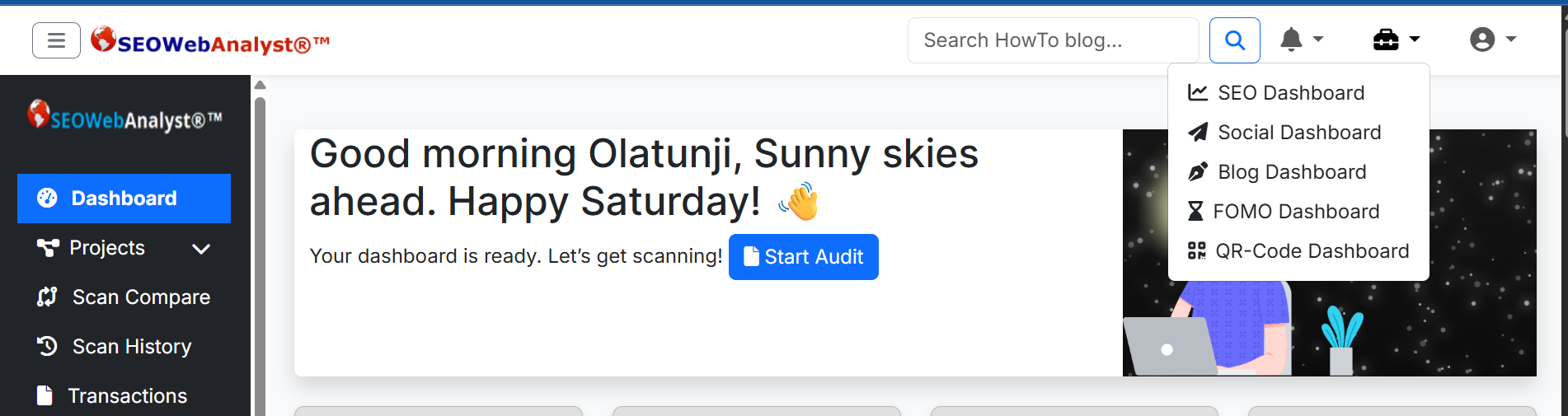
When you are on the FOMO dashboard, click on the User Icon for the drop-down and select the campaign navigation to create your new campaign.
Name your campaign, set your domain name, and set up your notification handler (optional), where you want your notification events to send trigger results to, eg, for the image below, we are assigning an email handler.
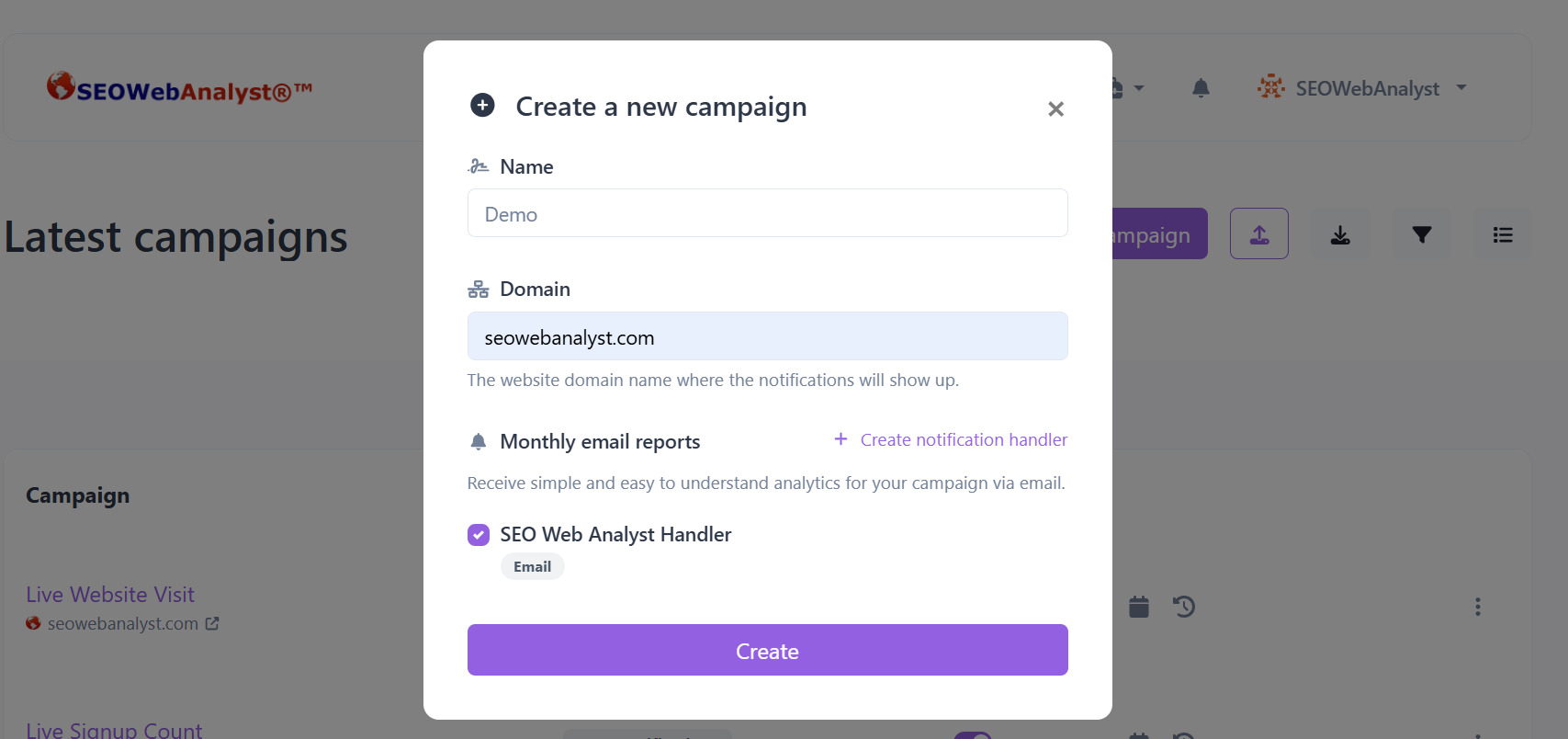
After initiating this setup, you have successfully created the campaign project where you can add numerous notification subcampaigns. In this section, you need to select the type of notification you want for the subcampaign. Depending on what goals you are targeting for your campaign, it will be easy to pick the FOMO that best suits your goal.
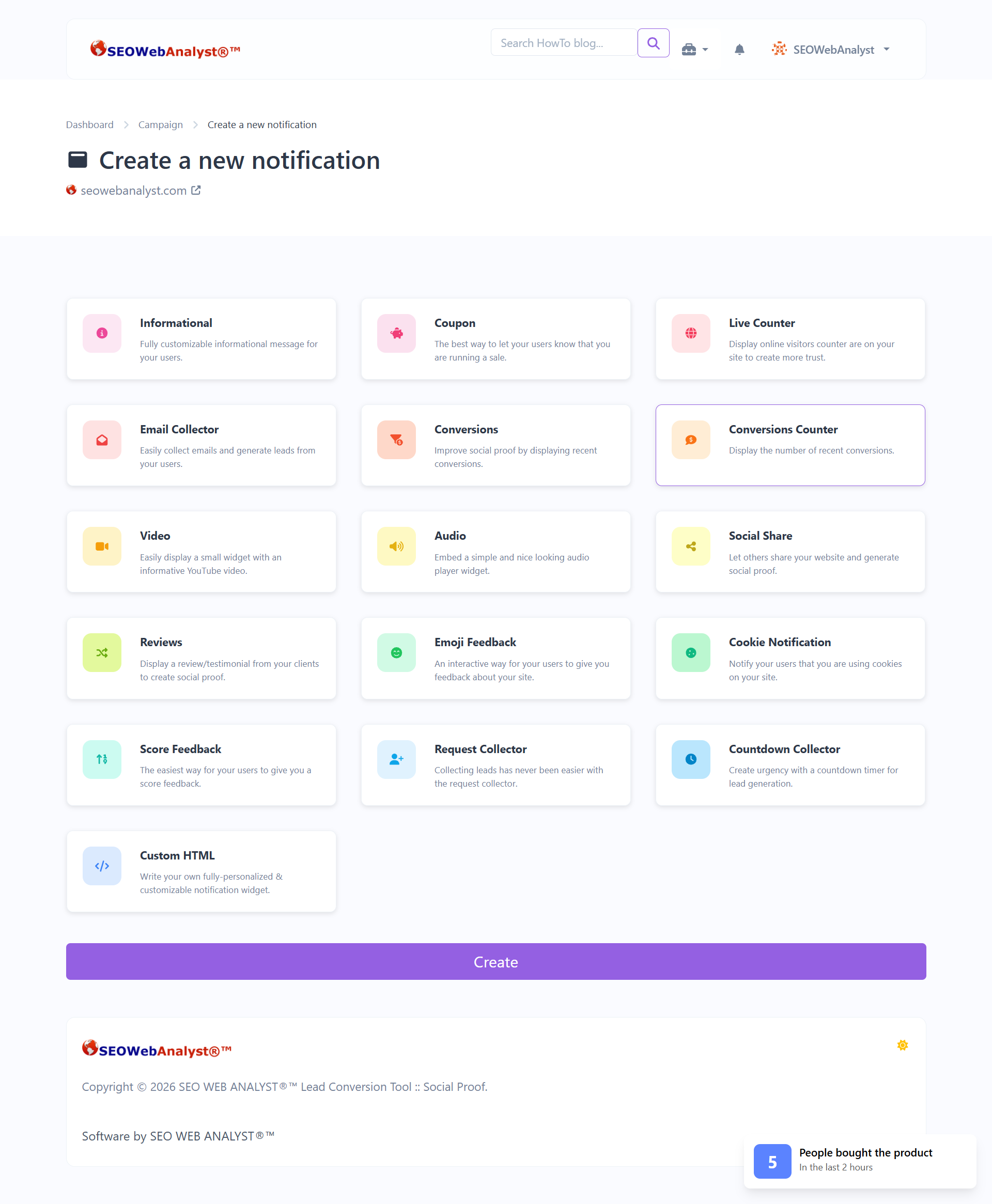
The Following Types of Notifications are Listed Below;
Informational: Fully customizable informational message for your users.
Coupon: The best way to let your users know that you are running a sale.
Live Counter: Display an online visitors counter on your site to create more trust.
Email Collector: Easily collect emails and generate leads from your users.
Conversions: Improve social proof by displaying recent conversions.
Conversions Counter: Display the number of recent conversions.
Video: Easily display a small widget with an informative YouTube video.
Audio: Embed a simple and nice-looking audio player widget.
Social Share: Let others share your website and generate social proof.
Reviews: Display a review/testimonial from your clients to create social proof.
Emoji Feedback: An interactive way for your users to give you feedback about your site.
Cookie Notification: Notify your users that you are using cookies on your site.
Score Feedback: The easiest way for your users to give you score feedback.
Request Collector: Collecting leads has never been easier with the request collector.
Countdown Collector: Create urgency with a countdown timer for lead generation.
Custom HTML: Write your own fully personalized & customizable notification widget.
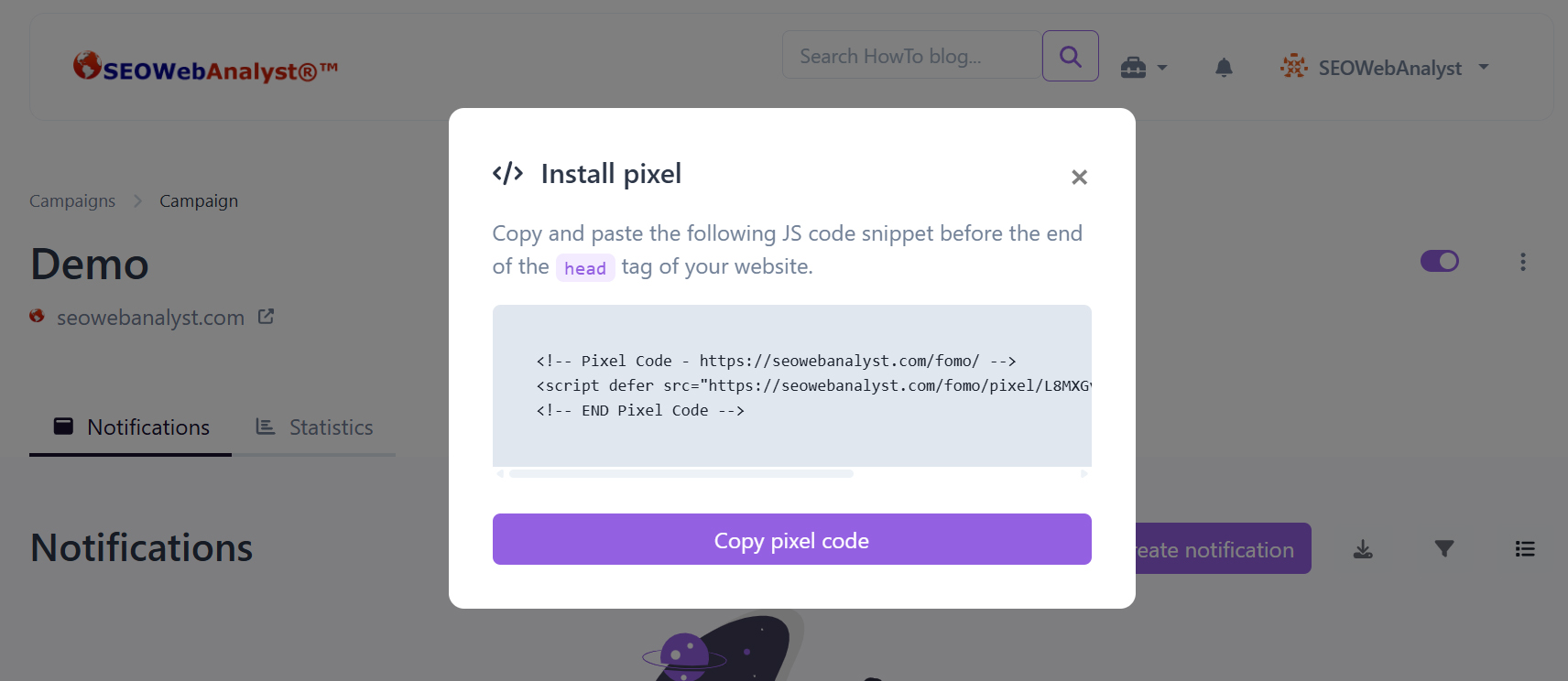
After selecting your notification, you will get the option to copy the pixel code required to display the counter you want to use for the notification, which you place before your tag.
We offer two types of notification systems
• Dynamic (needs data/webhook/pixel): Conversions, Conversions Counter, Live Counter, Email Collector, Request Collector, Countdown Collector.
• Static (no webhook needed/ pixel needed): Informational, Coupon, Video, Audio, Social Share, Reviews, Emoji Feedback, Cookie Notification, Score Feedback, Custom HTML
The dynamic notifications that depend on data are the ones that need more advanced assistance from your website developer, but I will try to illustrate the use of the webhook system using the conversion notification as an example.
Setting up the live signup notification, you have two options: one is to set the static title, which will never change on visits by users, or you can move with the dynamic function by utilizing the webhook system. After you edit the notification title with the dynamic placeholders, you can also add placeholders and combine them.
- Path
- Page title as {page_title}
- Continet as {continet}
- Continet_code {continet_code}
- Country {country}
- Country_code {country_code}
- City {city}
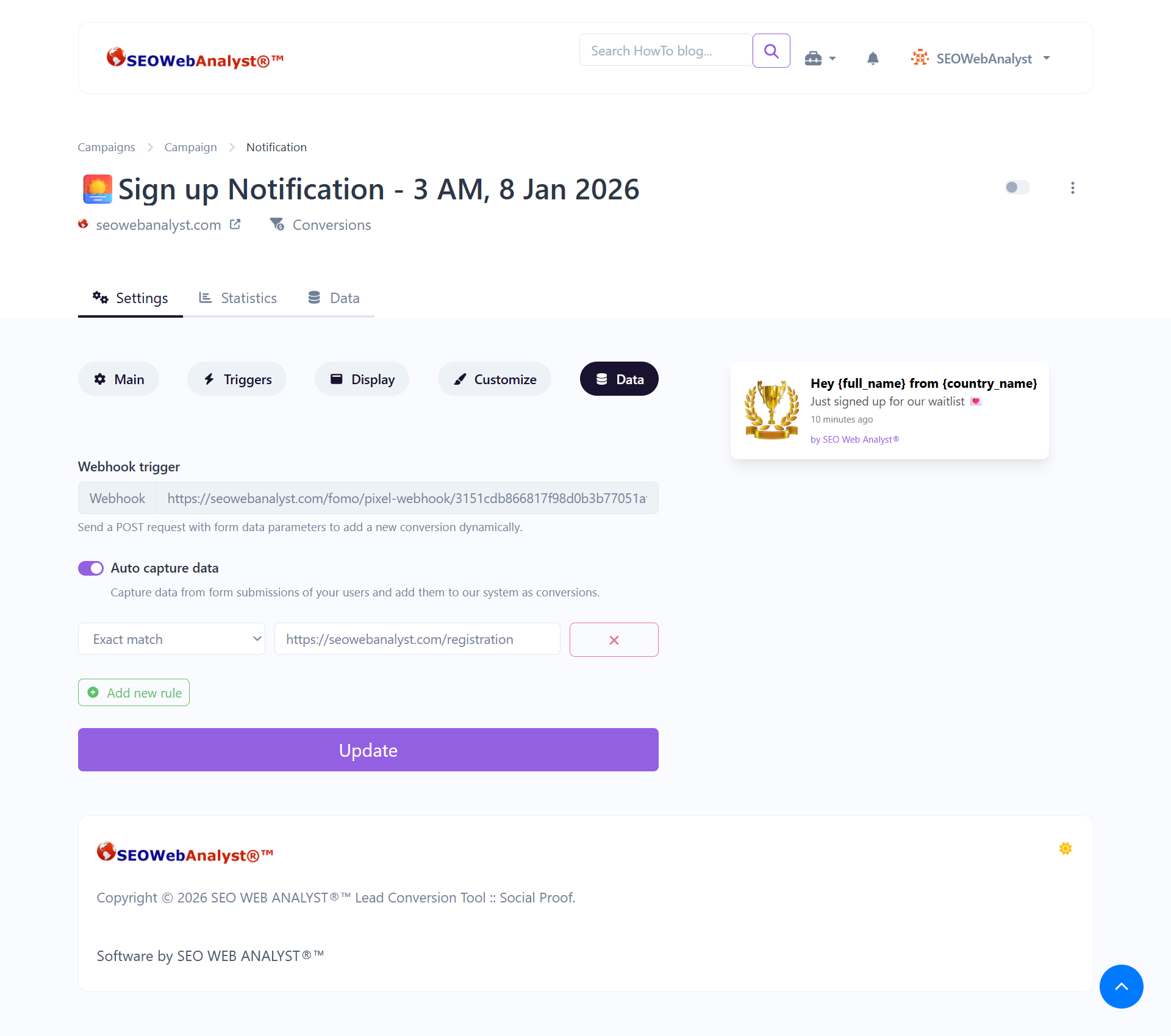
Depending on your form inputs, where you want the webhook to collect data and send it to your pixel, it can display dynamic settings on your widget. I will be illustrating how you can apply the webhook to get dynamic data to be stored on the Fomo database of your campaign, so let's say, for example, you have a campaign landing page, you are running a Facebook ad for, and it requires people to sign up depending on the format of your form, we will be using this demo.
Let’s walk through a clear PHP example of how to use notification FOMO’s webhook with your signup form. This way, every time someone registers, the data is sent in real time to FOMO’s database for display in your Conversions widget.
Step 1: Your signup form (HTML)
Step 2: PHP signup handler ()
This script saves the user to your database and fires the webhook to the notification FOMO
// signup.php
if ($_SERVER['REQUEST_METHOD'] === 'POST') {
$name = $_POST['name'];
$email = $_POST['email'];
$password = password_hash($_POST['password'], PASSWORD_BCRYPT);
$phone = $_POST['phone'];
$con_code = $_POST['con_code']; // e.g. "+234"
// Save to your own database
// Example: $pdo->prepare("INSERT INTO users ...")->execute([...]);
// Prepare webhook payload for Altum FOMO
$payload = [
'full_name' => $name,
'email' => $email,
'phone' => $phone,
'country_code' => $con_code,
'event' => 'signup',
'path' => $_SERVER['REQUEST_URI'],
'page_title' => 'Signup Page'
];
// Send webhook to Altum FOMO
$ch = curl_init("https://seowebanalyst.com/fomo/
pixel-webhook/3xxxxxx");
curl_setopt($ch, CURLOPT_POST, true);
curl_setopt($ch, CURLOPT_POSTFIELDS, $payload);
curl_setopt($ch, CURLOPT_RETURNTRANSFER, true);
$response = curl_exec($ch);
curl_close($ch);
// Redirect or show success message
header("Location: /login");
exit;
}
?>
Step 3: What happens
1. User submits the form.
2. PHP saves its info in your database.
3. PHP sends the webhook payload to the FOMO signup Notification.
4. The FOMO stores the conversion record.
5. When the widget is active, it displays:
John Doe from Nigeria (+234) just signed up!
PS: Do not send passwords to FOMO — only send non‑sensitive fields like name, email, country, phone.
It is advisable to work with your developer to help you install any dynamic notification that involves you fetching data, so as not to get unknown data or a Null response from your webhook.
Recommended Read: How To Use Social Proof Marketing Strategy
Sponsored content is clearly marked and reflects my honest opinions and experiences. I only promote products, services, or brands that are relevant to my audience and align with the values of this blog.
All advertising partnerships are managed in accordance with SEOWebAnalyst’s Advertising Policy. For questions, please contact me via my contact info on any of the post published.