 Print
Print How to use Google Suggestions and Trend Scores to find better blog title ideas and topic opportunities.
The SEO Suggest Trend tool helps users discover topic ideas by combining Google autocomplete suggestions with trend scores, so that they can choose titles and seed phrases with stronger search interest and greater content potential. By setting the right locale, category, and intent before clicking the trending button, users can surface more relevant ideas and avoid relying on weak one-word terms with low trend scores.
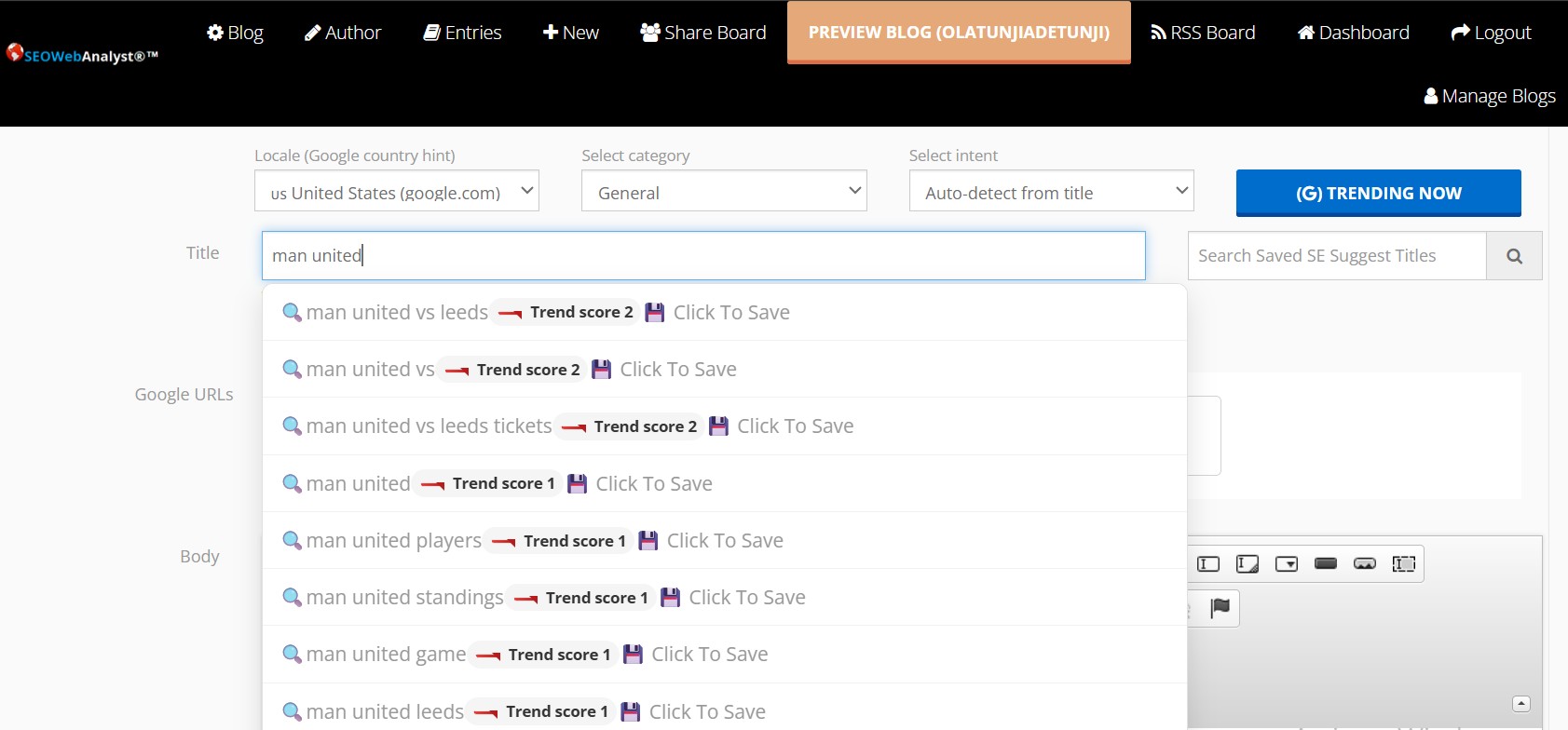
Image: SEO Web Analyst Blog Curator SE Suggest (Title autocomplete) + Trend Score
Writing topical ranking posts using Google Trends and SE Suggests (Autocomplete) ensures your content is fresh, authoritative, and aligned with current user intent. By following the curator's "funnel" approach, you can bridge the gap between high-volume categories and high-converting long-tail keywords.
1. Identify "Hot" Pillar Categories
Start by typing a broad Category term (1-2 words) into the title input to check the Google Trends score.
- High Score (80-100): Indicates a peak in popularity or a "Breakout" trend.
- Stable Trends: Look for categories with consistent horizontal lines, which are ideal for evergreen "pillar" content.
2. Harvest Long-Tail Subtopics
Once a category is validated, use the SE Suggests (Autocomplete) feature to find specific variations
- Intent Matching: Select suggestions that reflect specific Local categories and intentions (e.g., "how to," "best for," or specific location-based modifiers).
- Building Clusters: Group these related long-tail suggestions into a content cluster that supports your main category, signaling topical authority to search engines.
3. Competitor Analysis & Import
Use your chosen long-tail title and copy it into the Google search box provided by the tool.
- Import URL Content: Select the top-performing URLs for that specific term. This provides a "blueprint" of content that Google already considers high-quality.
4. Humanize and Rewrite
Run the imported content through Llama or Qwen for initial humanization.
- ENL Rewriting: Apply the Emulated Natural Language (ENL) rewriter to achieve a higher level of content uniqueness and semantic variety for SEO scaling and eliminate AI footprints.
- Adjustment: As you noted, use "Conversational" settings to keep the Readability Score low (8th-grade level) rather than the "College" level often generated by raw AI models.
5. Final SEO Validation
Before you schedule your post, run a final validation using the integrated tools:
Keyword Density: Compare your keyword usage against top‑ranking competitors. Aim for natural inclusion without overstuffing, ensuring your tags and phrases align with SEO best practices.
Readability (Flesch‑Kincaid Score): Use the readability score to fine‑tune the human side of your content. If the score suggests your writing is too advanced, simplify sentence structure and vocabulary so it’s accessible to a wider audience. This helps your content resonate with readers and improves engagement.
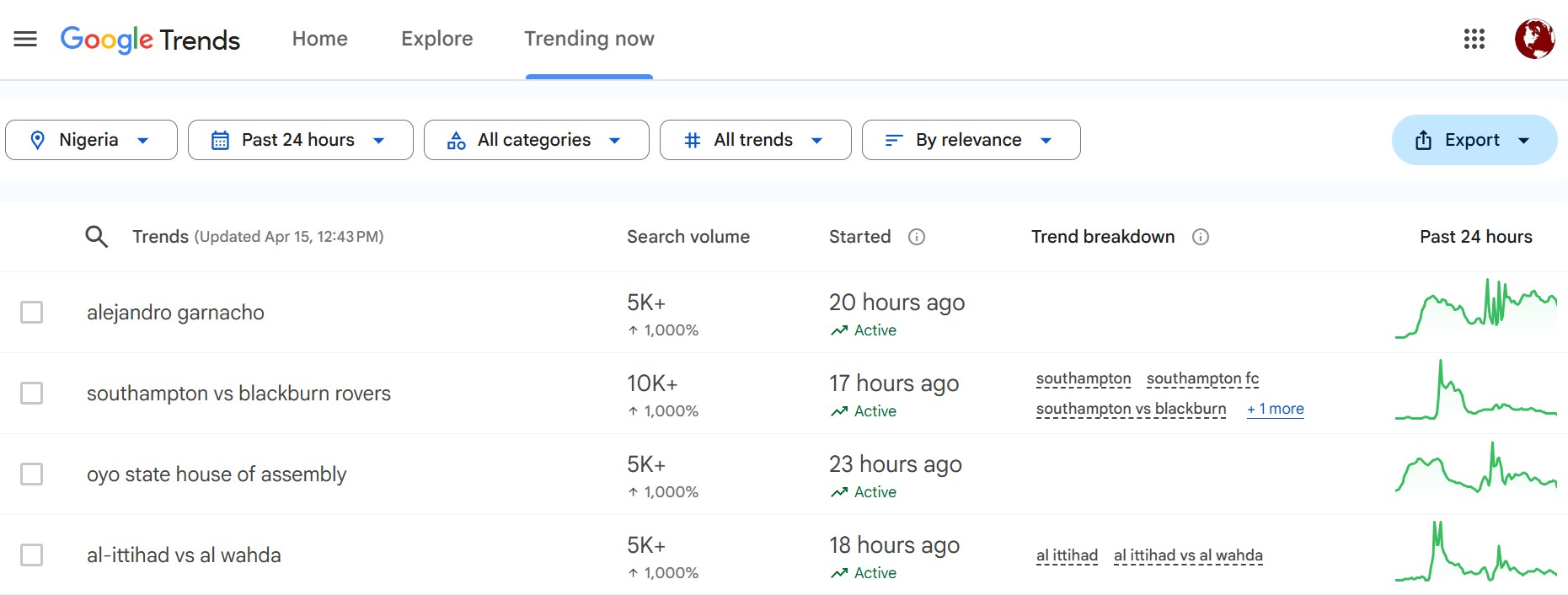
Image: Google Trending Now by Geo Location (Country) when you click the (G) Trending Now Button
Why the trend score matters
The trend score gives users a quick signal about which autocomplete ideas are more active or more worth targeting. Low scores usually mean the term is too narrow, too weak, or too early in the trend cycle, while stronger scores can help users prioritize phrases that are more likely to support topical content. This makes the tool more practical for blog planning because users can compare ideas before investing time in writing.
How users should choose ideas
Users should not treat every autocomplete suggestion the same. Instead, they should look for phrases that combine three things: relevance to the topic, a useful trend score, and a search result set that shows content opportunities in SERP. If a phrase has a stronger score and also returns useful ranking URLs, it becomes a better candidate for a blog title, article angle, or topic cluster.
Saving ideas for later
The save feature is important because users may see valuable seed terms that are not ready to write about immediately. Saving these phrases lets them build a reusable idea bank for future content planning, seasonal topics, and recurring research. Over time, this creates a more organized workflow for topical content development.
Pro-Tip: Decoding the "Low" Trend Score (The Power of 1s and 2s)
It is common to see scores of 1 or 2 for specific long-tail phrases, like in the "Man United" example above (screenshot). Don't let these low numbers discourage you! Here is how to explain their value and impact in your title and content curation workflow:
- Relative Popularity vs. Real Traffic: Google Trends scores are relative. A "100" is reserved for massive, broad terms (like "Football" on Google Trends). A "1" or "2" for a specific match like "Man United vs Leeds" still represents thousands of highly motivated searchers—it just looks small compared to the global "Head" term.
- The "Golden Ticket" for New Blogs: High scores (50-100) mean massive competition from giant news sites. A score of 1 or 2 is often the "sweet spot" for niche bloggers. It proves there is active interest, but the competition is low enough for you to rank on page one quickly.
- Intent over Volume: A user searching for "Man United" (Score: 100) might just be bored. A user searching for "Man United vs Leeds Tickets" (Score: 2) is ready to take action. Targeting the "2" often leads to higher engagement and better conversion.
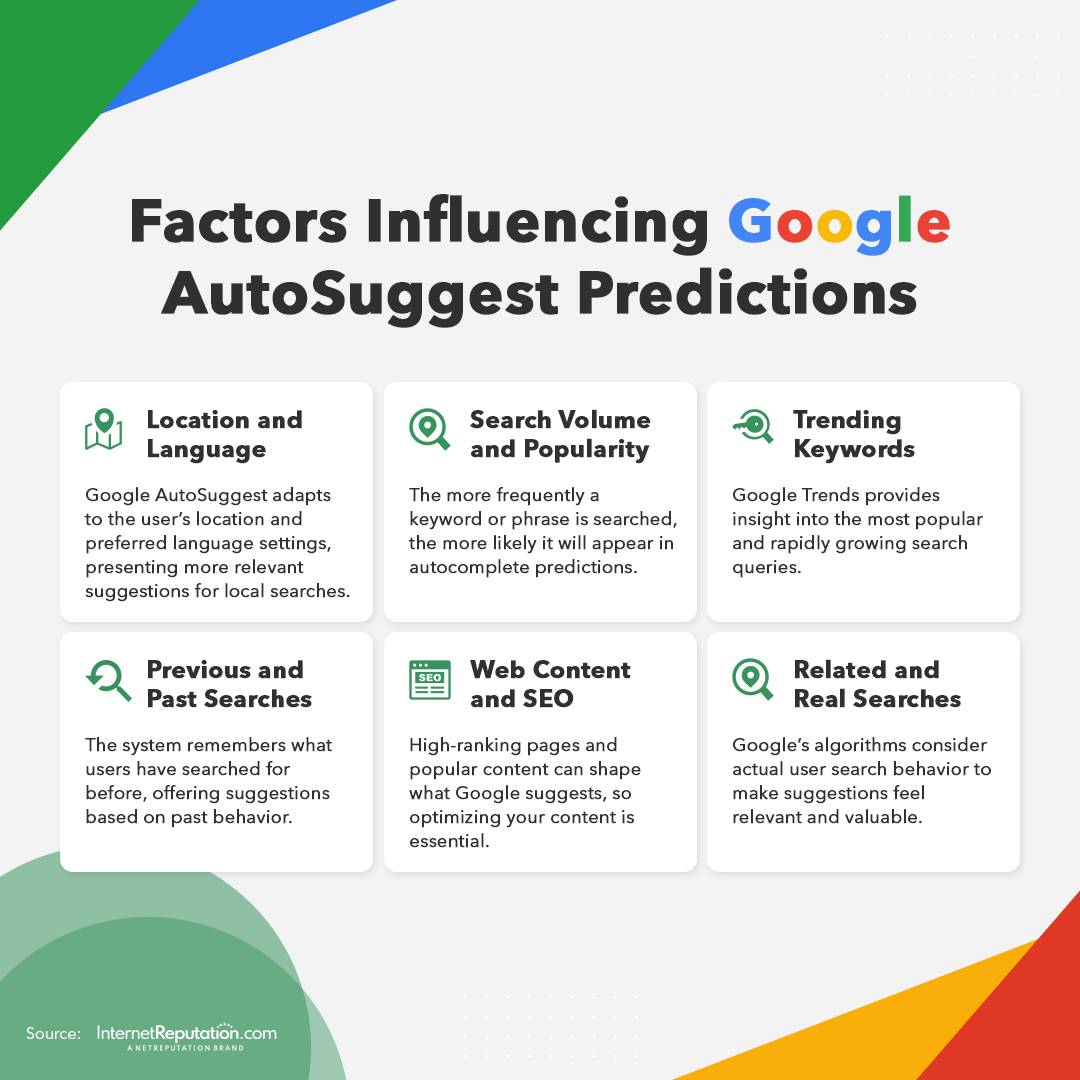
Summary Checklist:
- High Trend Score (50+): Use these as your "Seed Terms" to find out what is breaking out.
- Low Trend Score (1-5): Use these for your actual Blog Titles. They are specific, easier to rank for, and have clearer user intent.
- The "Click to Save" Rule: If you see a score of 5+ on a long-tail phrase, save it immediately. That is a "rising star" keyword that will likely get more competitive soon.
Trend score (0–100) – This is SEO Web Analyst’s own estimate of how “hot” a keyword is right now, based on our data and APIs. It is for comparing ideas inside this tool, not an exact copy of Google Trends.
This is a disclaimer note: our “trend score” is a proprietary relevance/heat index that helps users compare within our tool, not a 1:1 mirror of Google Trends.
Our score uses our own sources and normalization and is meant to help you rank and compare keywords inside SEO Web Analyst, not to match Google’s exact numbers.
Google Trends shows “Interest over time” on a 0–100 scale using Google’s global search logs.
How to use it practically.
- Use the score to compare suggestions in the dropdown: a higher score equals a stronger trend signal in our system. "Click To Save." If you see higher trend scores, you can seed later for another topical use.
- Then, if needed, click Trending Now to double‑check on Google Trends for your country and refine the exact phrasing before using the exact phrase in the Google search box to import the SERP URL for trending SEO content writing.
Recommended Read: AI Content Writer for SEO and Blogging