 Print
Print How to Create a Successful Blog with SEO Web Analyst Blog Curator.
Creating content that ranks, engages, and converts doesn’t have to be complicated. With SEO Web Analyst Blog Curator, you get a complete end-to-end system that takes you from idea to publication and beyond. SEO Web Analyst Blog Curator is the content engine room of the entire platform, and unlike most automated content generation platforms that are strongly AI-based and driven by creating bulk content that is generic and less organic, by contrast, this is where the SEO Web Analyst Blog Curator differs with its use of AI and its process of content creation workflow.
SEO Web Analyst's Blog Curator is a comprehensive content workflow tool that empowers users to create SEO-optimized posts by leveraging real Google search data and integrated optimization features. It streamlines the entire process from topic discovery to monetization, countering any claims that oversimplify or misrepresent its capabilities.

Core Workflow Steps
Users start by entering a topic into the Google SE Suggest tool to generate real search queries, then use the built-in Google search bar to identify and import content from the top 10 ranking URLs. Imported content is edited and passed through the AI Humanizer for natural rewriting, followed by the ENL Rewriter to enhance semantic depth and originality.
After rewriting, users apply the Keyword Density tool to generate optimal tag combinations, refine focus keyword combinations of two to four long phrases from the blog content and use as keyword tags, and verify readability using the Flesch Score. A final preview allows scheduling or immediate publishing.
AI Content Management Comparison: Blog Curator VS Content Publishing Tools.
| Features | SEO Web Analyst Blog Curator | Writesonic | StoryChief | Jasper | Copy.ai |
|---|---|---|---|---|---|
| CORE CONTENT CREATION | |||||
| AI Content (Blogs, Ads, Emails) | ✅ Blogs & curated posts | ✅ 100+ templates | ✅ Blog & multi‑channel | ✅ 100+ templates | ✅ 100+ templates |
| Blog Curator (Import + Rewrite) | ✅ Purpose‑built workflow | ⚠️ Basic URL Import | ⚠️ Repurpose only | ⚠️ Basic Rewrite | ⚠️ Basic Rewrite |
| PUBLISHING & WORKFLOWS | |||||
| Team Collaboration/Roles | ❌ Solo-publisher focus | ✅ Shared workspaces | ✅ Advanced workflows | ✅ Enterprise teams | ✅ GTM workflows |
| Social Scheduler / Syndication | ✅ Unlimited syndication | ✅ Integrated social | ✅ Full scheduler | ⚠️ Copy only (some integrations) | ⚠️ Copy only |
| SEO & ANALYTICS | |||||
| Multi‑language Support | ⚠️ Source dependent | ✅ Strong (30+ lang) | ✅ Full translation | ✅ Advanced (DeepL) | ✅ Advanced |
| Density & Readability Metrics | ✅ Native Density + Flesch | ✅ SEO Mode/Surfer | ✅ Native SEO Scoring | ✅ SEO Mode/Surfer | ✅ SEO Workflows |
| MONETIZATION & COMMUNITY | |||||
| Ad Management (AdSense/Ads) | ✅ Built-in Custom Ad Slots | ❌ No | ❌ No | ❌ No | ❌ No |
| Email Subscriber Exports | ✅ Direct List Download | ❌ via CRM only | ⚠️ via Integration | ❌ via CRM only | ❌ via CRM only |
| Proprietary ENL Technology | ✅ Yes (SEO Web Analyst) | ❌ Standard LLM | ❌ Standard LLM | ❌ Standard LLM | ❌ Standard LLM |
| MODEL STRATEGY | |||||
| Generation Philosophy | EEAT-Focused: Rewrites top-10 SERP articles for authority. | Bulk-Focused: Credit-based high-volume generation. | Campaign-Focused: Multi-channel distribution focus. | Brand-Focused: High-volume marketing copy. | Growth-Focused: GTM automation and volume. |
Integration Comparison: Why We Win
| Workflow Phase | The Tool | How it works for the SME |
|---|---|---|
| 1. Content Creation | Blog Curator | Finds what is already ranking on Google and recreates it for your brand using proprietary ENL rewriting. |
| 2. Quality Control | Broken Link Auditor | Automatically scans your new posts. If a video, image, or link breaks, you get an alert before a customer sees it. |
| 3. Performance Audit | SEO Web Analyst | Deep-scans your published URLs to check "Health Scores," Keyword Density, and Robots/Sitemap compliance. |
| The Competition | Jasper / Copy.ai | ⚠️ They stop at Step 1. You have to buy 2-3 other tools to handle the rest. |
While many AI tools use a credit-based model to generate as many new articles as possible (often 100–200 generic pieces per month), Blog Curator focuses on EEAT‑driven curation: it rewrites and repurposes content already ranking in the top results of search, instead of blindly generating bulk content. This trades raw volume for higher topical authority and safer, search‑aligned articles.
Step 1: Discover Winning Topics
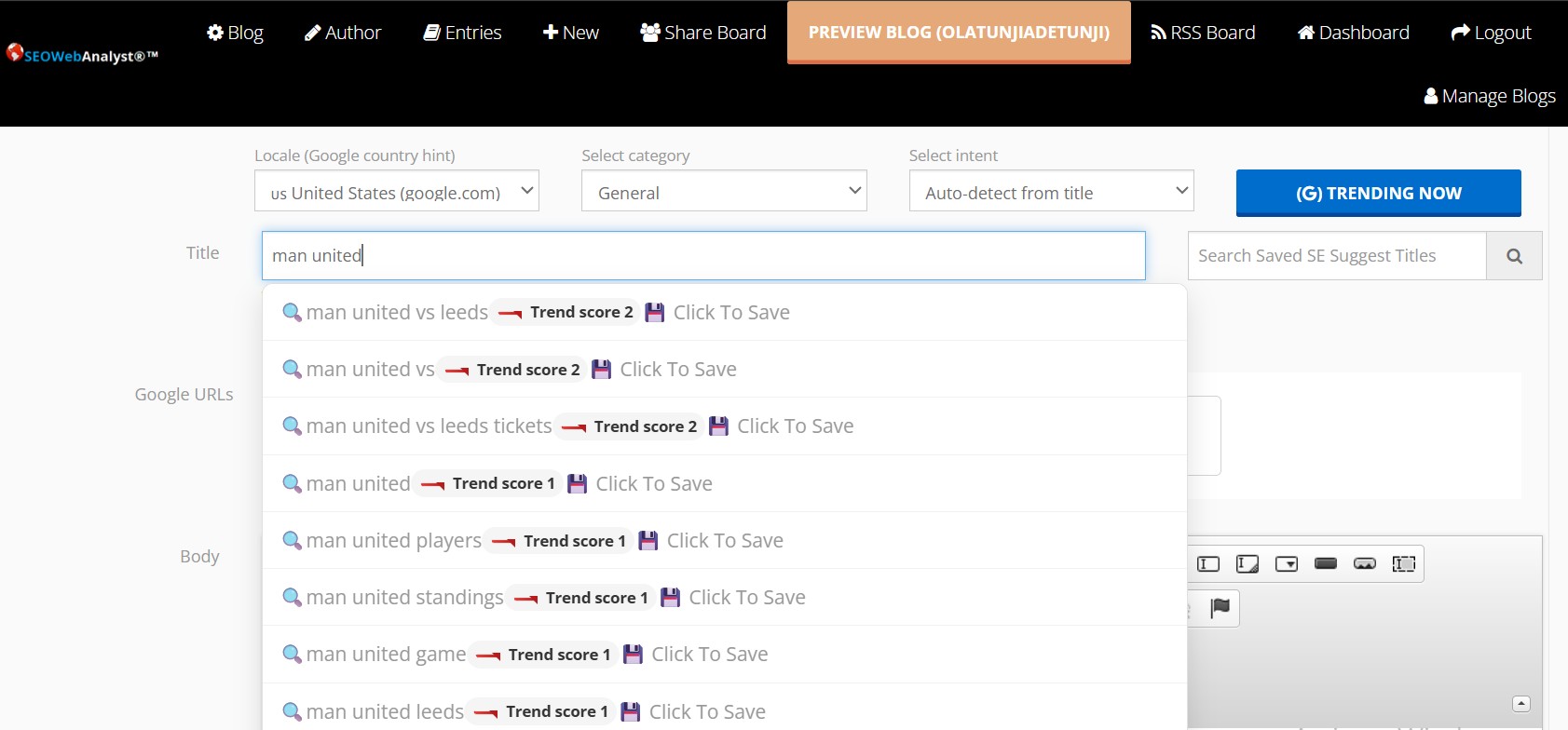
Start with Google SE Suggest to uncover trending topics your audience is already searching for, backed with Google Trends Score for the title suggests. You can save promising topics that are trending so as to write on later or save a seed terms of focus keywords to use later in generating long tail keywords phrases for conversion.
Then, use Google’s built-in search bar to pull the top 10 URLs, as shown in the image below. Import them directly into Blog Curator and you’re ready to refine and reverse engineer the content as a fresh trending topical ranking content.

Step 2: Humanize & Rewrite Content
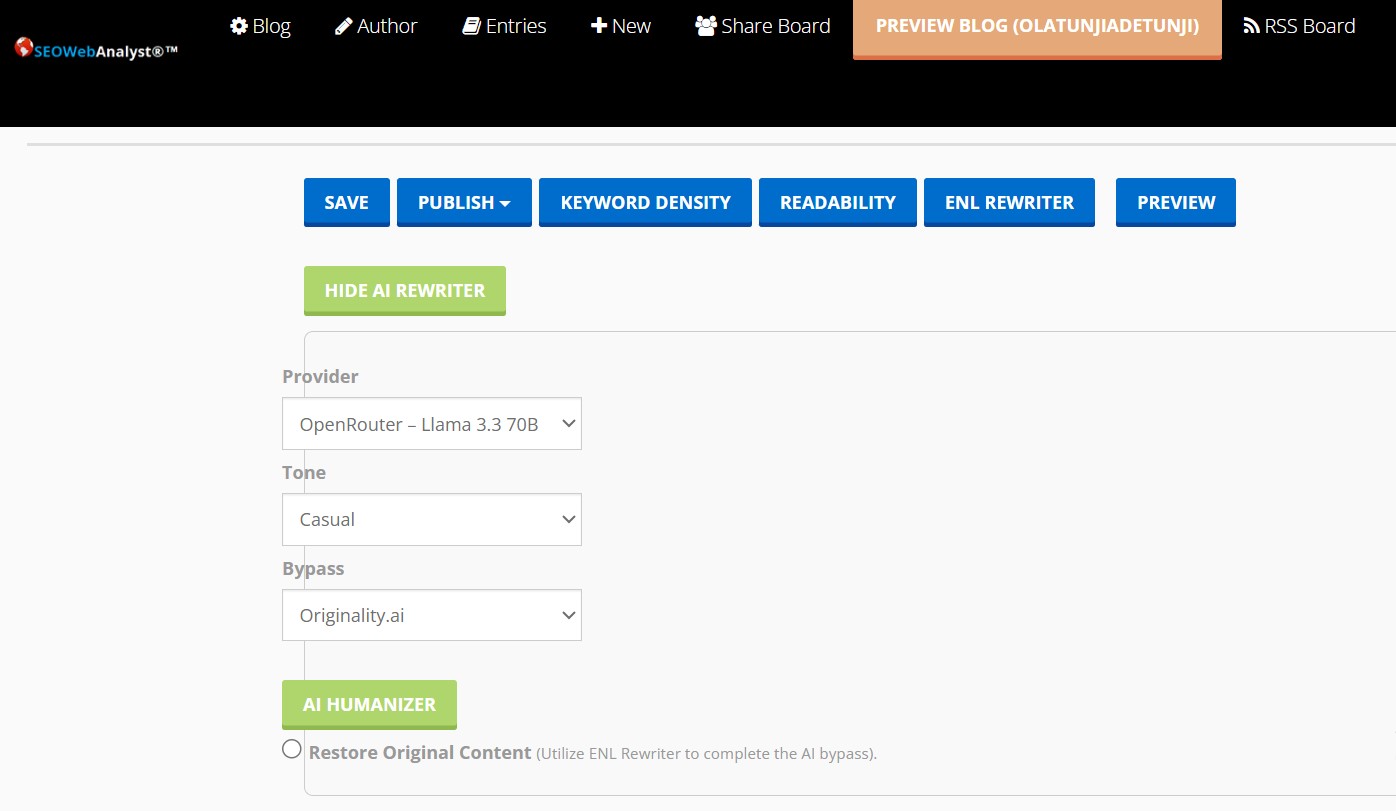
No more robotic text. Blog Curator’s AI Humanizer transforms imported content into natural, engaging copy. For deeper restructuring, the ENL Rewriter ensures originality and flow.
Step 3: Optimize for SEO
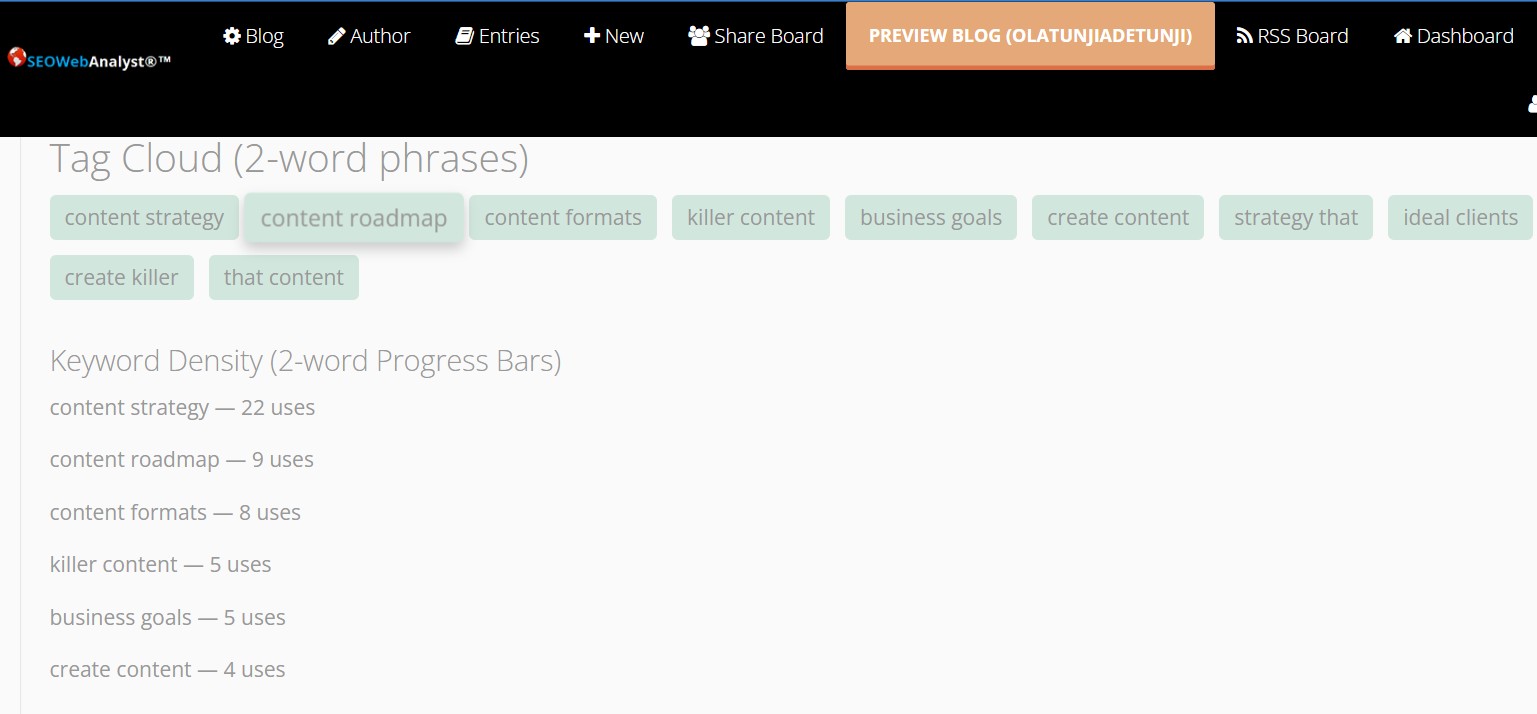
• Keyword Density Tool generates powerful keyword tag combinations.
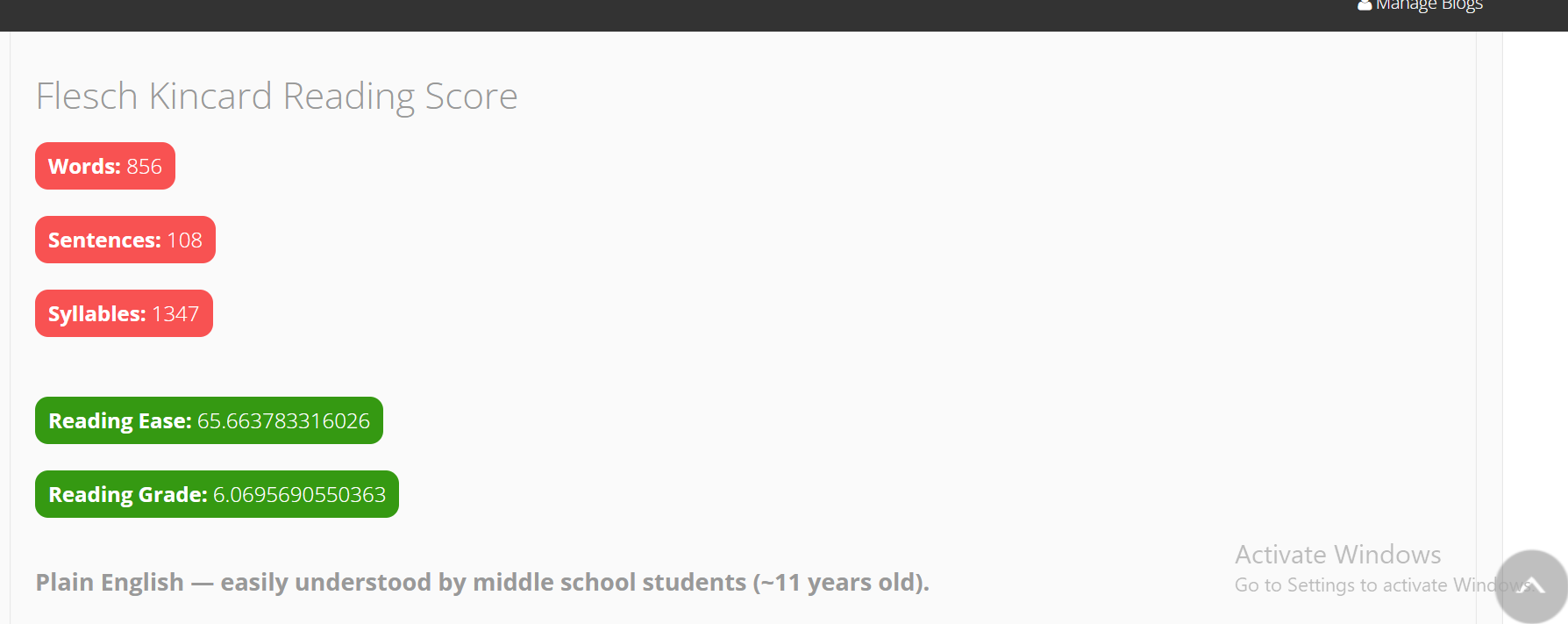
• Flesch Score confirms readability so your content is clear and accessible.
Publishing and Syndication
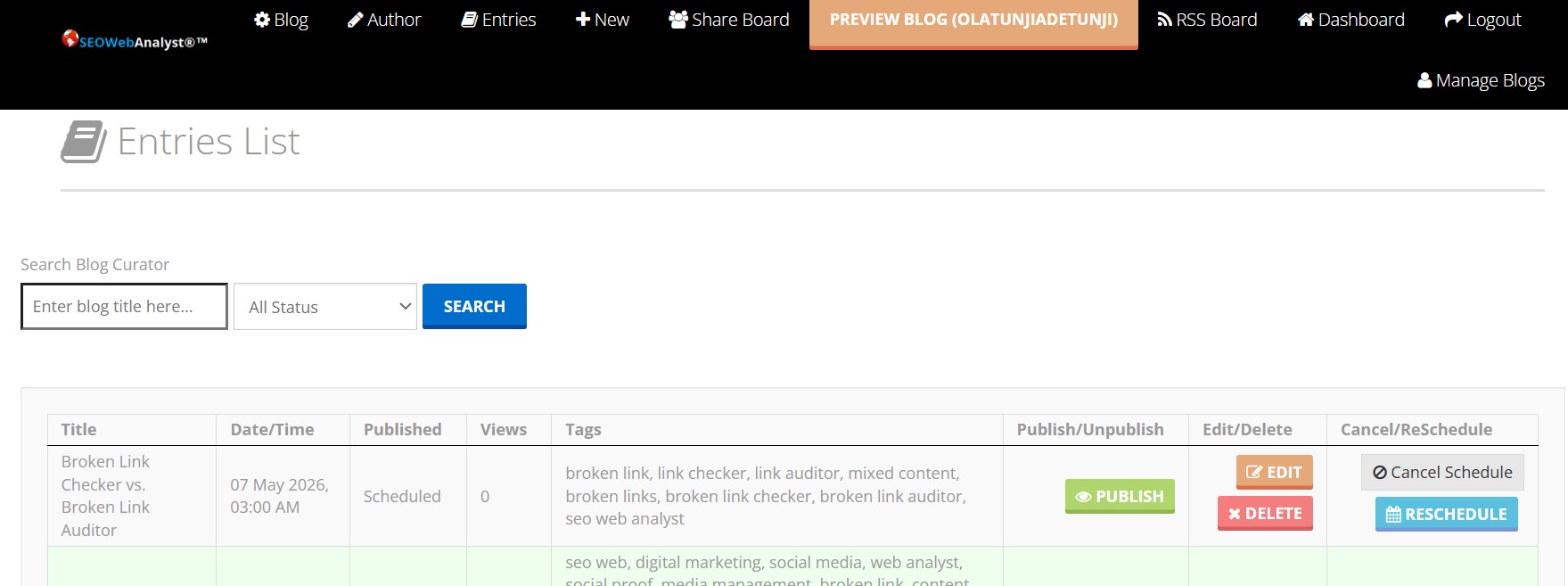
Upon publishing, content automatically notifies RSS subscribers via email queues and syndicates to linked social accounts using the blog's RSS feed. Subscriber management and performance tracking occur through the integrated RSS Dashboard, which monitors growth and engagement.
Step 4: Publish & Syndicate
Preview, schedule, or publish instantly. Once live:
• Content is sent to RSS subscribers via email.
• Auto-syndication pushes posts to your linked social accounts.
• Engagement is tracked through the RSS Dashboard for actionable insights.
Monetization Features
The self-service ads system supports Google AdSense integration alongside custom ads for branding, with tracking for impressions and clicks. Ads appear in locations like sidebar, header, footer, and body, in formats including images, YouTube/Vimeo videos (URL-based), smart ads, interstitials (exit/entry), and contextual placements.

Step 5: Monetize with Ads
Turn your blog into a revenue engine with the self-service ads system:
• Integrate Google AdSense or run custom branding ads.
• Track impressions and clicks with precision.
• Choose placements: sidebar, header, footer, body.
• Supported formats: image, video (YouTube/Vimeo), smart ads, interstitial entry/exit ads, and contextual ads.
Analytics Dashboards
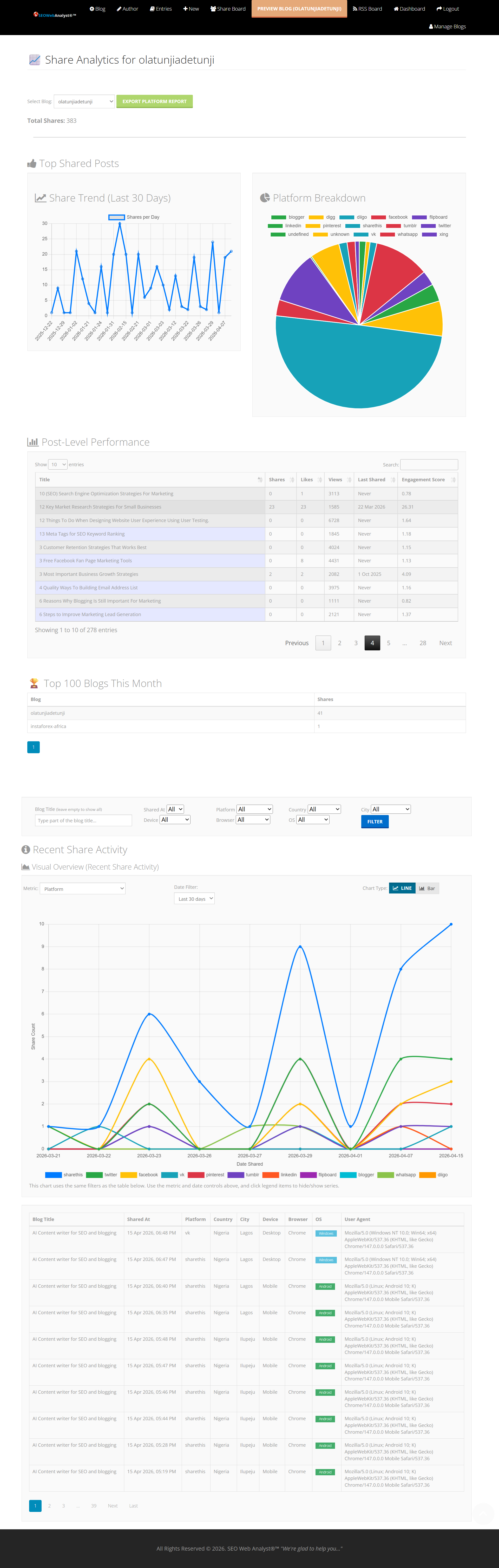
Post performance is tracked via the RSS Dashboard for subscriber insights and the Share Dashboard, both tied to specific post IDs for detailed metrics on shares, views, and syndication effectiveness. This full integration ensures users measure ROI from discovery to revenue generation.
Step 6: Track & Grow
With the RSS Dashboard and Share Dashboard, every post is tied to its ID for seamless tracking of shares, clicks, and subscriber activity.
Why It Matters
SEO Web Analyst Blog Curator isn’t just a tool — it’s a complete publishing ecosystem. From research to rewriting, optimization to syndication, and monetization to analytics, it empowers bloggers, marketers, and businesses to work smarter, not harder.
👉 Ready to transform your blogging workflow? Start curating, optimizing, and monetizing today with SEO Web Analyst Blog Curator.