 Print
Print Tools To Check a Website for Broken Links Free
If you own a website, especially a large website that takes on thousands to millions of visitors, you will understand the negative impact of a broken link on your website. To make it a worst-case scenario, the broken link might lead to your checkout page or a search engine landing page for a search phrase. It seems you are painting the picture; now imagine having hundreds of those kinds of links crippling your website's performance. You might say you own a lesser website with zero transactions, but what about visits from search engines? Because a website without any form of traffic from the web is a stale website, you are better off deleting the site.
Today, I will be sharing with you two free broken link checker tools online that you can use to check your website's broken link status, and a premium broken link auditor you can also consider for professional insight to improve your website link structure. A broken link can be both costly and damaging to your website's online performance. The two most popular free broken link checkers I can recommend are;
Google Search Console enables you to review any broken links and errors that Google's crawlers discover. This information is automatically updated every time Google crawls your site.
W3C Link Checker scans your site for broken links on demand. This method also provides the specific line in the HTML source file that contains the broken link.
Google Search Console: To use this free tool, you are required to have a Gmail account (which makes things easier), then set up your domain or URL access so that the Google bot will know how to index your website. You will also be required to confirm the ownership of the website. I, for one, prefer to use the txt validation method, where I download a txt file and host it to have it verified by Google.
Although Google Search Console is not purposely developed for broken link monitoring, its features are quite good enough to detect the most basic of broken link status (THE 404 ERROR CODE)
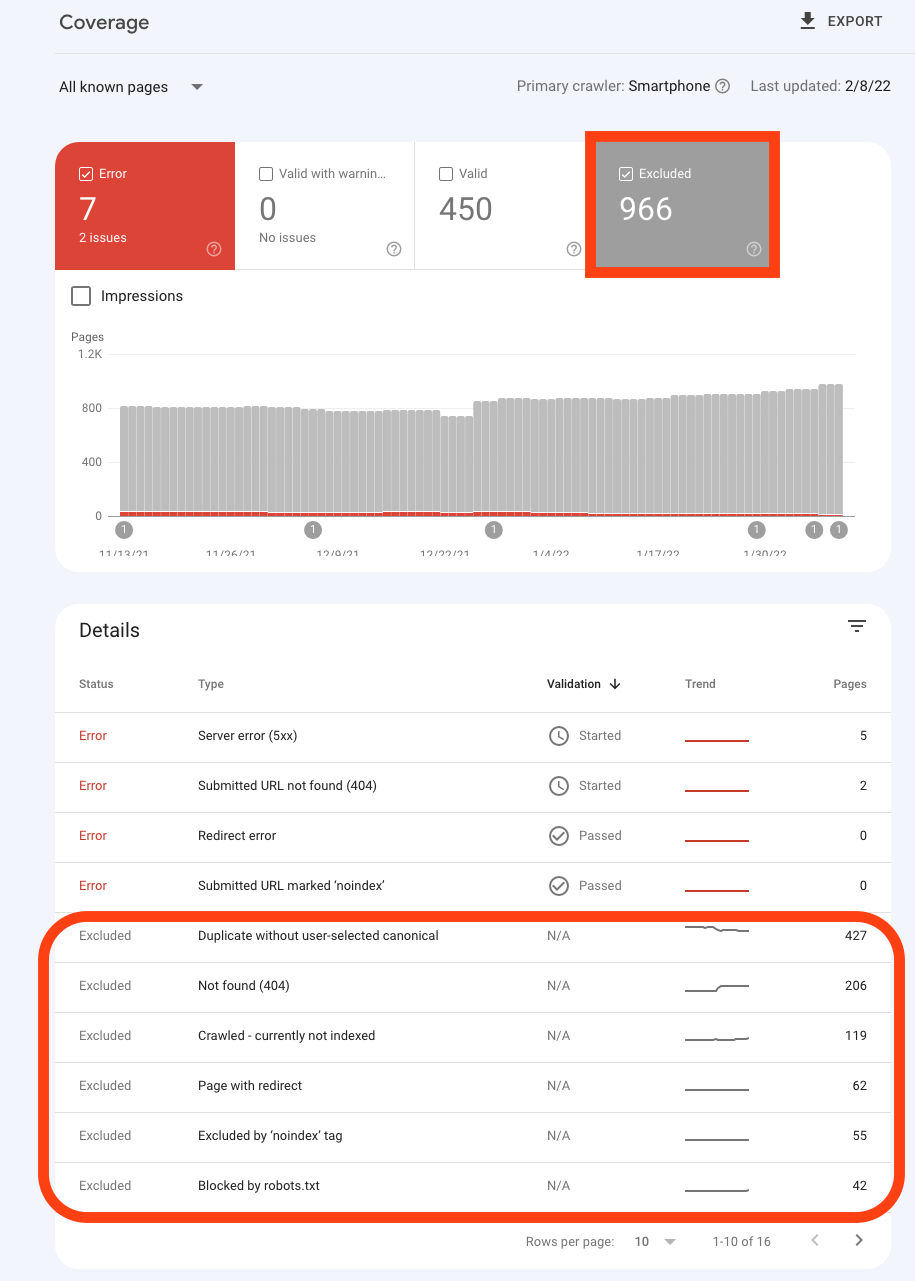
For you to start receiving information data similar to the image above, you need to submit your sitemap for Google to crawl and index, after which you can start working on each of the issues that are mentioned in the indexed page of your search console.
The consequence of having broken links lobbying your website can not be overemphasized, apart from it being bad for SEO Imagine losing all that work you have been building on links from different reputable sites, and they start pointing to 404s. Do you know that they reduce your page ranking and quality, especially if the broken links are internal?
Recommended Read: How To Fix Google Index Coverage Issues
A very simple to use Free Broken Link Checkeryou can use for a quick scan of your website link health, is the Validator W3C Link Checker online tool. It is a straightforward broken link scan that does not track, unlike the Google Search Console. The W3C Link checker tool only reports on a minimum number of links that are accessible to it on your website, with a recursion depth form that allows you to tell it how deep you want the scan to go.
Now with the introduction of the scan depth, I would like to branch into the basics of a broken link auditor; Most dedicated website link auditor tools do come with scan depth and max pages, some will show you these settings for you to have control, while others hide theirs and offer you limitations by controlling the number of links your URL can scan. Let's explain the purpose of these two link auditor tool features.
1. Scan Depth
• Definition: The maximum number of “clicks” or navigational steps the crawler will take from the starting URL.
• Example:
• Depth = 1 → Only the homepage is scanned.
• Depth = 2 → Homepage + all pages directly linked from it.
• Depth = 3 → Homepage + linked pages + links found within those pages.
• Purpose: Prevents the crawler from going infinitely deep into a site’s structure (e.g., endless archives or calendar pages).
• SEO impact: A shallow depth may miss issues buried deeper in the site, while a very deep depth may waste resources crawling irrelevant or duplicate pages.
2. Max Pages
• Definition: The maximum number of pages the crawler will scan before stopping.
• Example:
• Max Pages = 50 → The tool will stop after scanning 50 pages, even if more are available.
• Max Pages = Unlimited → The tool will continue until every accessible page is crawled.
• Purpose: Controls performance and resource usage. Large sites can have thousands of pages, so limiting max pages keeps scans manageable.
• SEO impact: If set too low, you may miss broken links or SEO issues on deeper pages. If set too high, scans may take longer and produce overwhelming reports.
These features in a broken link auditor give you more control over your link auditing, and it is one of the features that can be found on SEO Web Analyst Broken Link Auditor tool. The broken link validator offers a scheduled rescan that comes with an email alert to help remind you when each scan is done executing, and a user-friendly report page for each of your scanned projects (URL).
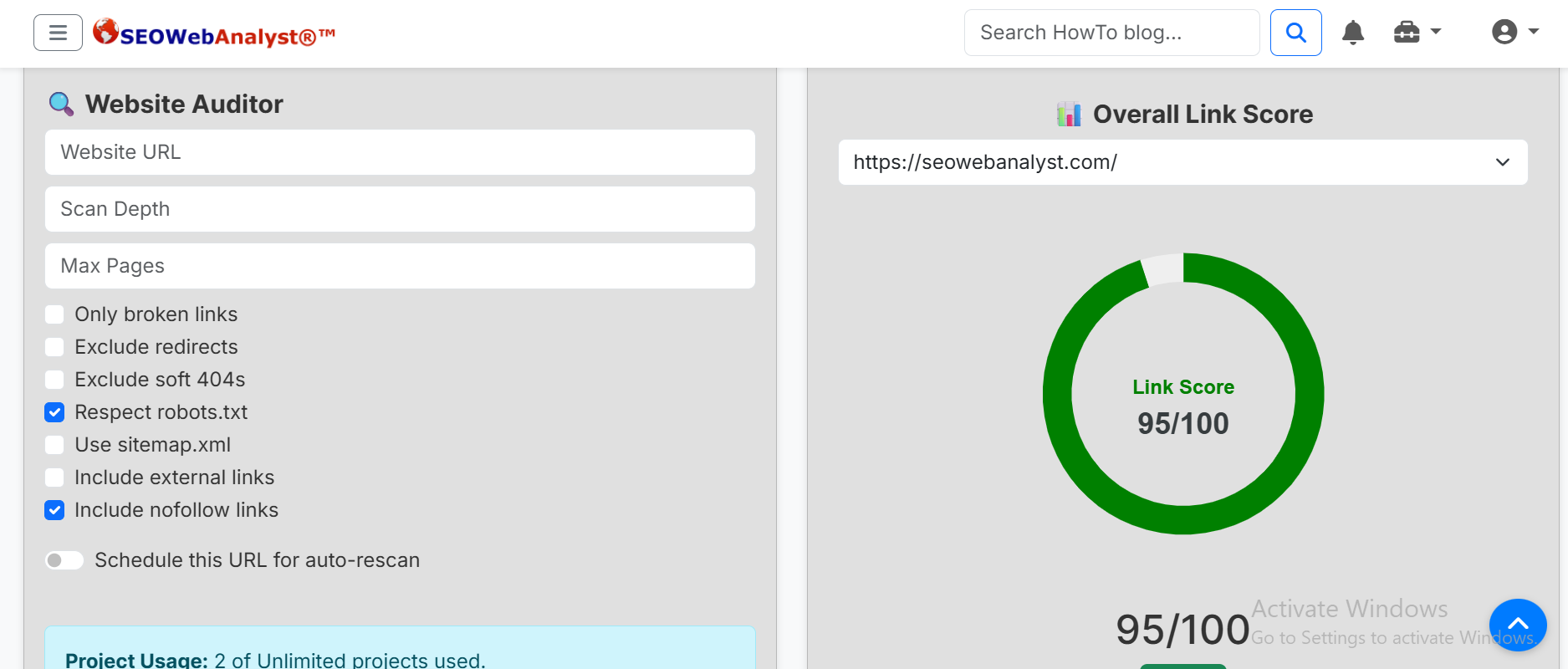
SEO Web Analyst Website Link Auditor also comes with other broken link scan features that allow its users to have better control over what the software scans and returns, so you can be more decisive and focused with your workload. Apart from that, we also provide the auto scan that comes with a schedule calendar format. These are just screenshots of the friendly user interface of some of the auditor's broken link checker features.
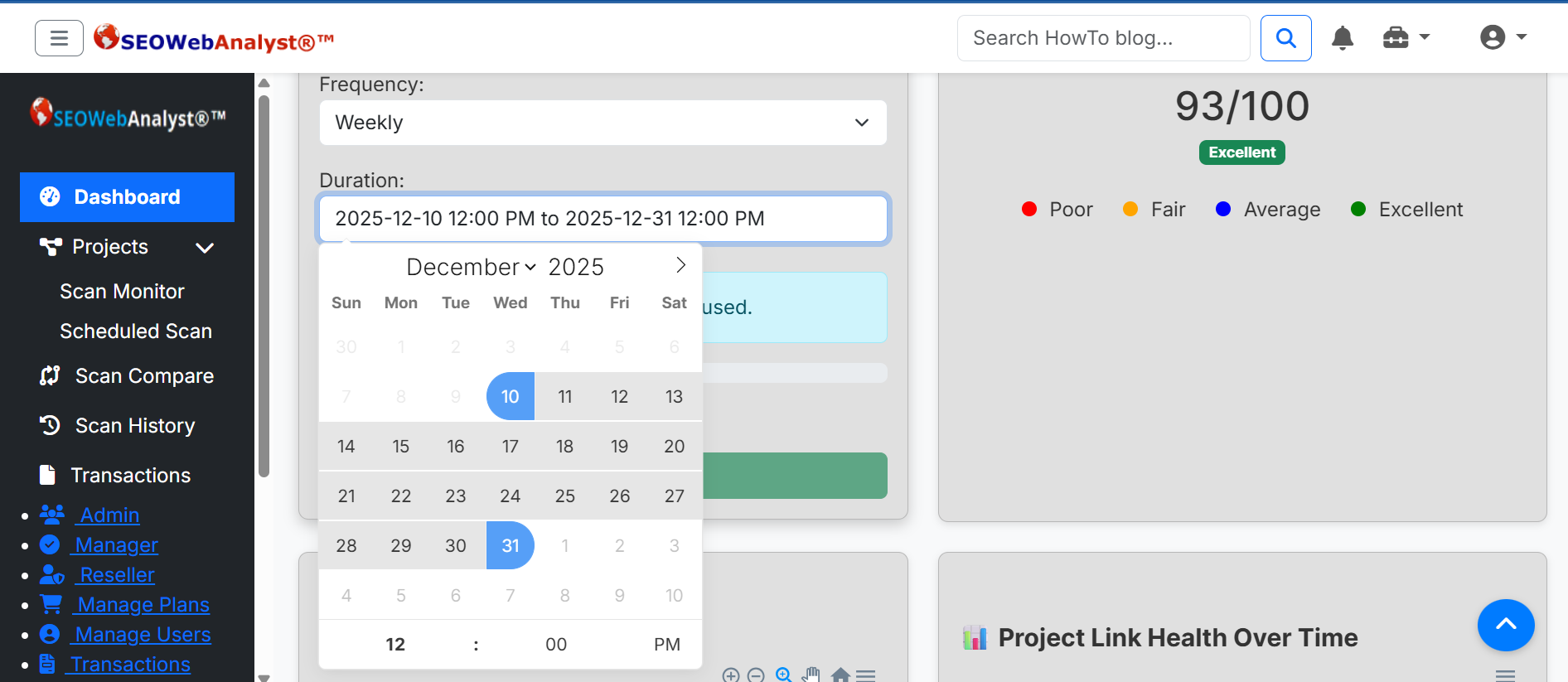
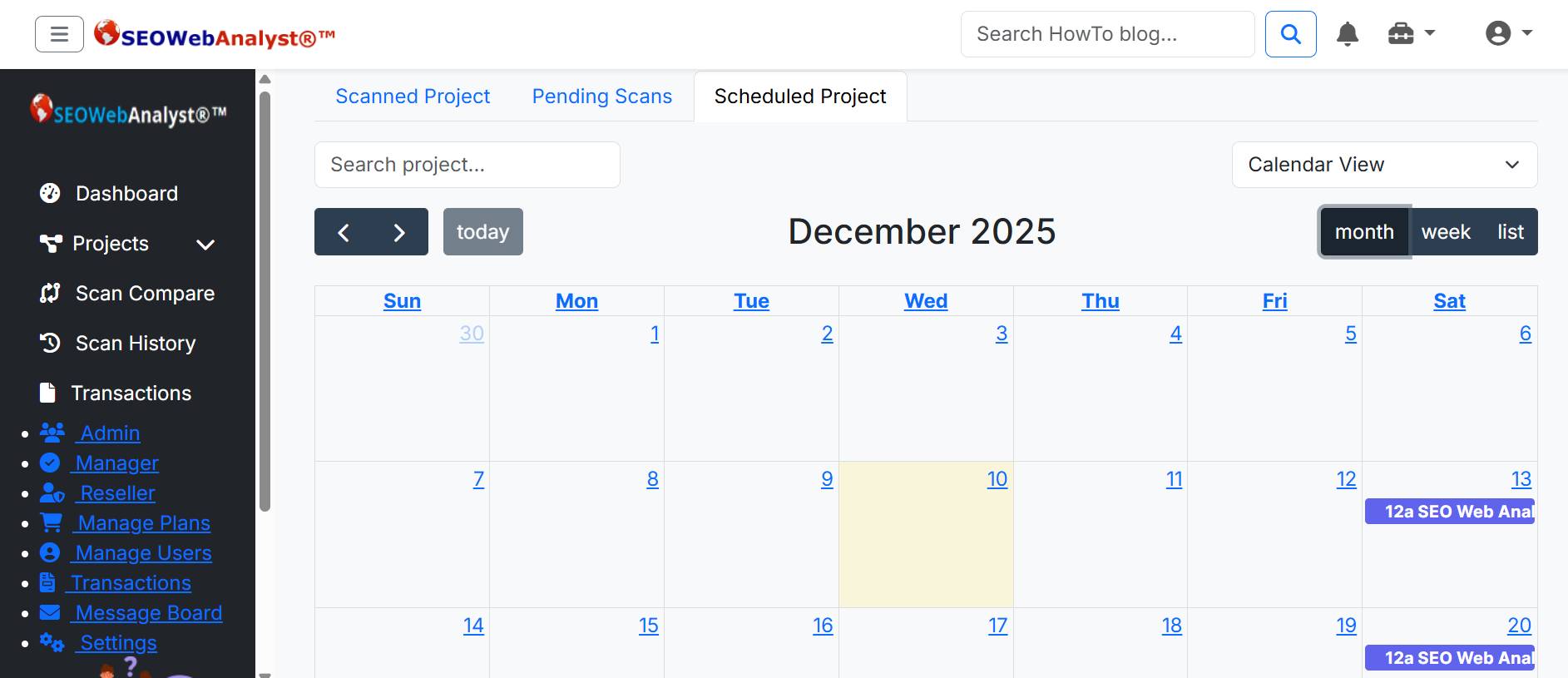
To encourage users with their broken link checker, we provide an editable calendar where they can execute a rescan and also drop update notes on what they did regarding their broken link discoveries. As mentioned earlier, we calculate a link score to provide a visual percentile remark for the effort users put in to resolve all their broken links on their website. Link score is not an SEO impacted value, but it does have its SEO merits, so apart from being an incentive-based calculation that rewards users with work done to resolve their broken links, it also helps to indicate how well structured your website's link architecture is. The following description highlights how Link Scores are being generated for a project scanned on SEO Web Analyst website auditor.
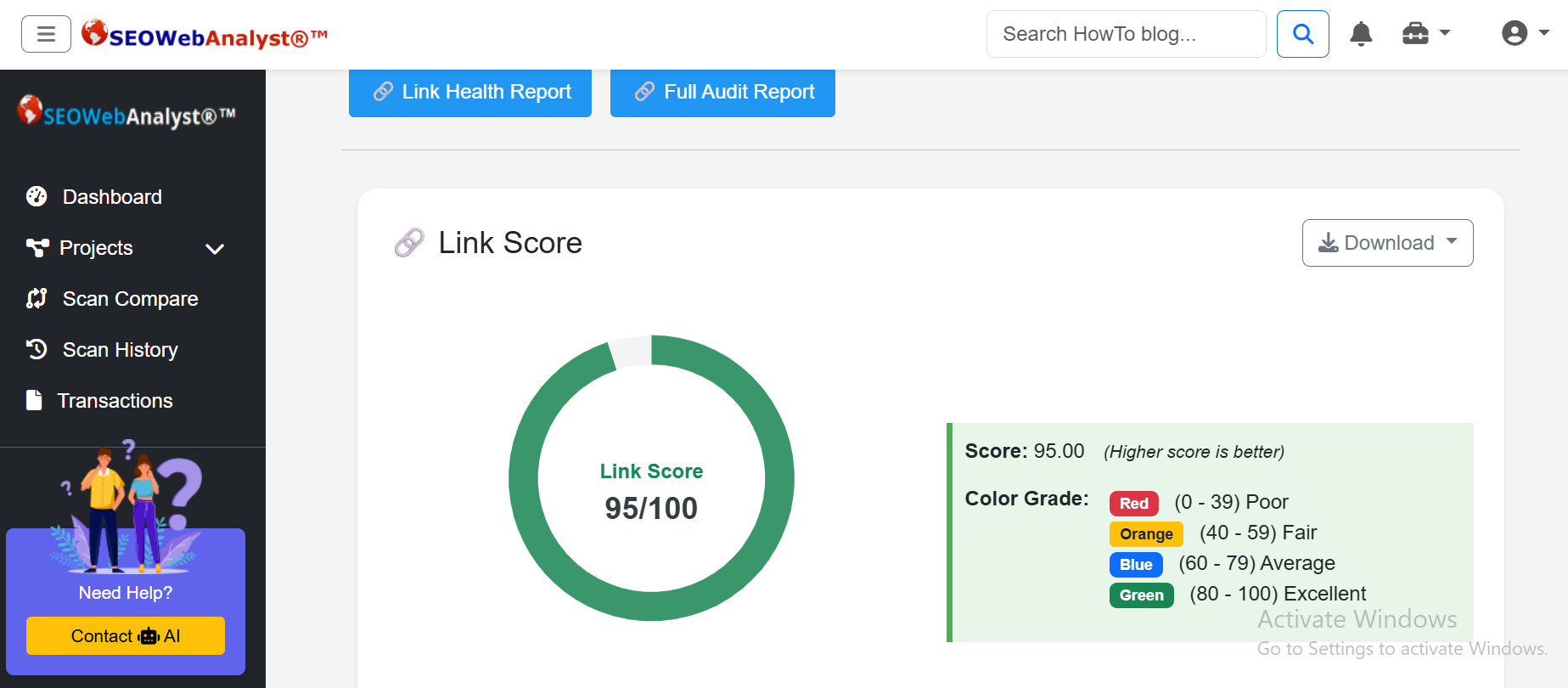
Step‑by‑step SEO Web Analyst Link Score calculation
1. Find the latest scan for the domain
• The script looks up the most recent completed scan in scan_meta for the given domain and user.
• It retrieves scan_id and project_id.
2. Try to fetch a stored score from scan_metrics
• It queries scan_metrics for a row where metric_name='link_score' for that scan/project.
• If found, that value is used directly as the score.
3. Fallback: calculate from raw scan URLs
If no metric is stored, the script queries scan_urls for that scan_id and counts:
total_links → total number of URLs scanned
broken → how many are marked is_broken
redirects → how many are marked is_redirects
soft404s → how many are marked is_soft_404s
- Compute a base score
- Formula:
\mathrm{baseScore}=\frac{(\mathrm{total}-\mathrm{broken}-\mathrm{soft404s}-\mathrm{redirects})}{\mathrm{total}}\times 100- This gives a percentage of “healthy” links.
- Apply penalties
- Penalty is calculated as:
\mathrm{penalty}=(\mathrm{broken}\times 2)+(\mathrm{soft404s}\times 1)+(\mathrm{redirects}\times 0.5)- The final score is:
\mathrm{score}=\max (0,\min (100,\mathrm{baseScore}-\mathrm{penalty}))-
- Round and grade
- The score is rounded to an integer.
- Then it’s mapped to a grade:
- 0–40 → Poor (red/danger)
- 41–60 → Fair (orange/warning)
- 61–80 → Average (blue/info)
- 81–100 → Excellent (green/success)
Illustration;
Suppose a scan found:
- 100 total links
- 10 broken
- 5 redirects
- 2 soft 404s
Then:
- Base score = (100-10-5-2)/100\times 100=83
- Penalty = 10\times 2+2\times 1+5\times 0.5=20+2+2.5=24.5
- Final score = 83-24.5=58.5\approx 59 → Fair
In conclusion, the Link Score is essentially: percentage of healthy links minus weighted penalties for broken, soft 404, and redirects.
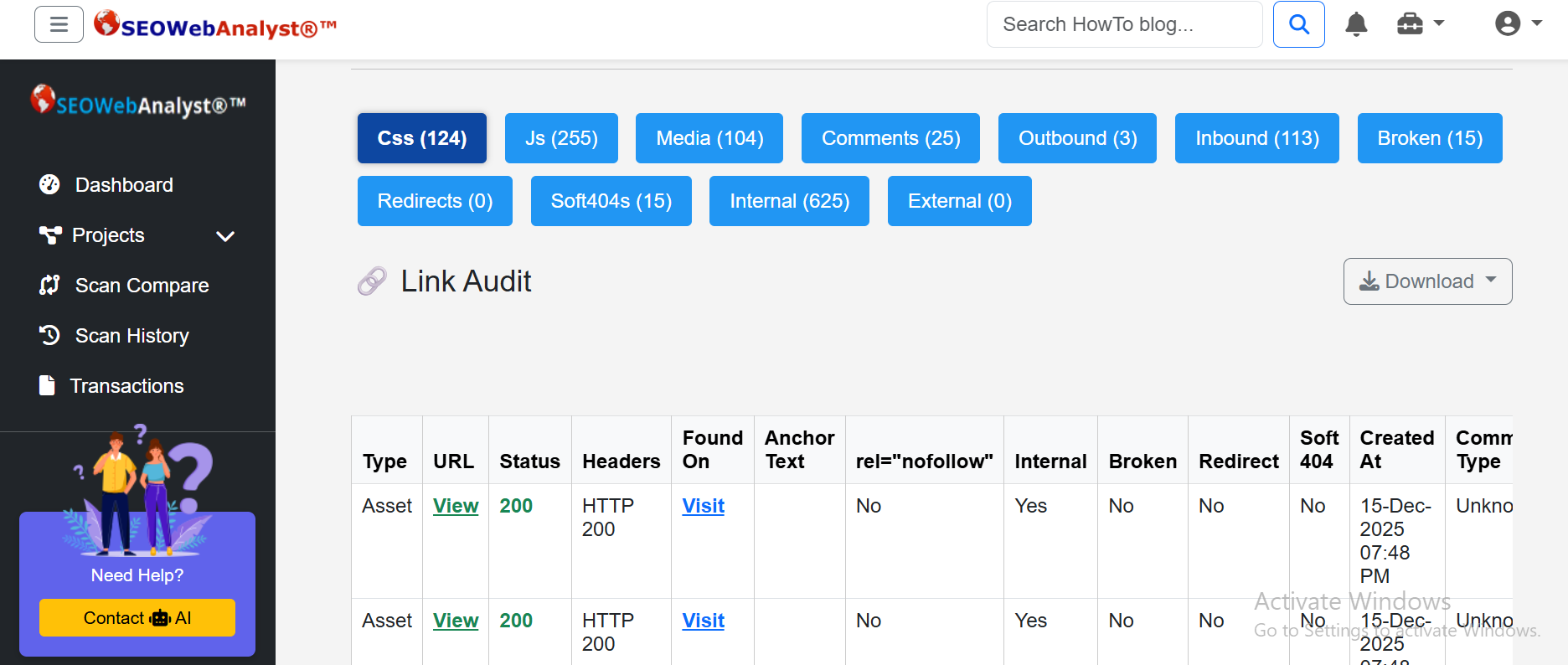
Our Website Link auditor tool presents two reports for users, one for Link Score and the other for Link Audit, with each report downloadable as PDF and CSV files.
Conclusion: I will encourage website owners and SEO specialists to do a website link audit of their website once in a while, as it is necessary and helps you keep things in order, link structure-wise. A bad link structure could be one of the reasons for a major downside to your SEO effort, and not to mention website performance as well. SEO Web analyst website link auditor tool functions as a broken link tool which is a part of the all-in-on-suite, that gives its users the features to control how their scan report is organized and presented, how deep you like to scan, whether internal links or external links, to search for broken links, soft 404s and redirects that can be damaging to your website online performance, we belive you will find the tool quite straight to the point and easier to use and interpret. You can sign up for a trial plan by visiting the registration page. Feel free to drop your comment on any other free broken link checker you know of and have utilized, so that others can find the information useful to them as well.
Sponsored content is clearly marked and reflects my honest opinions and experiences. I only promote products, services, or brands that are relevant to my audience and align with the values of this blog.
All advertising partnerships are managed in accordance with SEOWebAnalyst’s Advertising Policy. For questions, please contact me via my contact info on any of the post published.