 Print
Print How To Set Up Broken Link Audit For Your Website
This is an illustration guide on how users can scan and track their website's broken links via the URL audit dashboard.
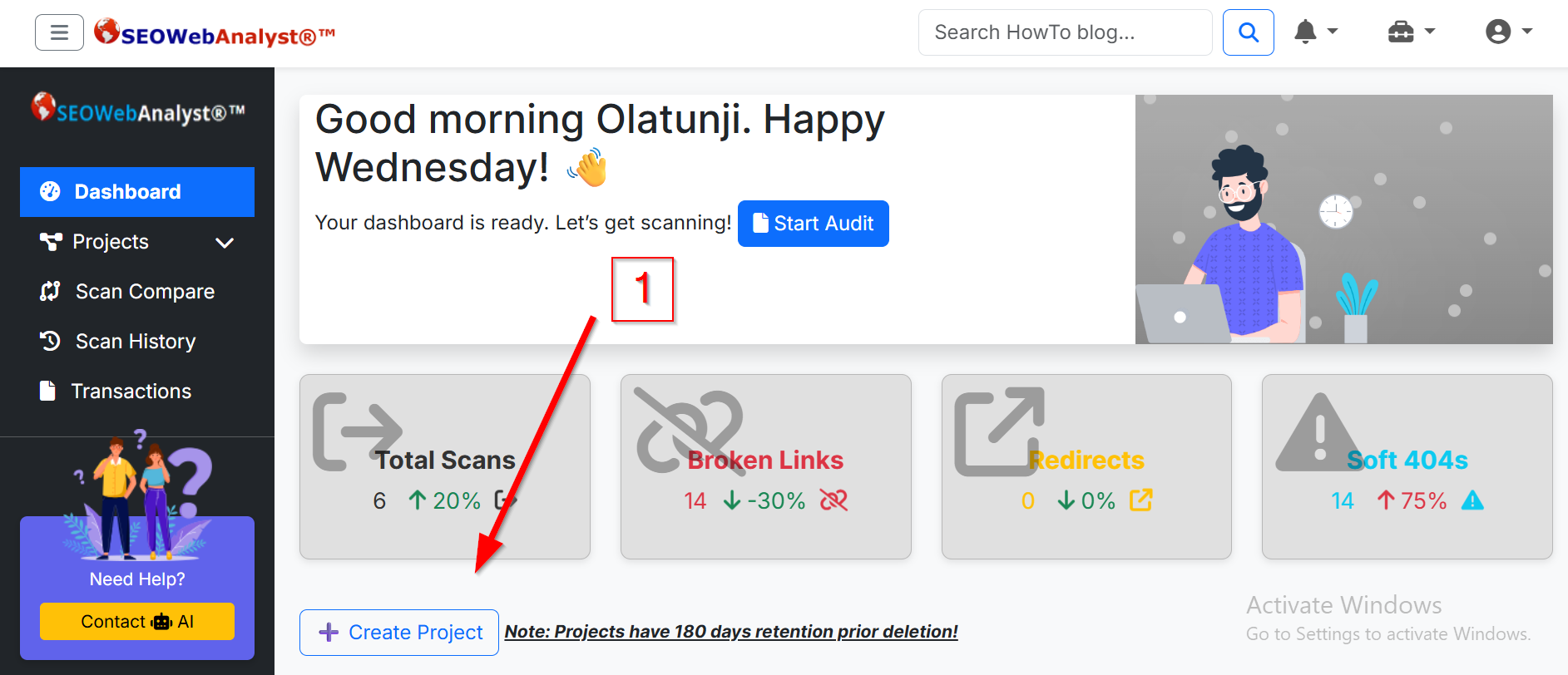
When you log in to your account, you should be presented with a dashboard similar to the one shown in the screenshot below.
If you click the "Start Audit" button, you will be directed to the "+ create project" button, which controls your engagement with the platform.
When you create the project, you should get a pop-up window that displays a modal form where you are to input the project name and the URL you want to audit for broken links, and a note for referencing the project. After filling in all this input, you can click the "create project" button on the pop-up modal window. This will initiate a message that states "Project (The name of your project) stored", and this unlocks the website auditor.
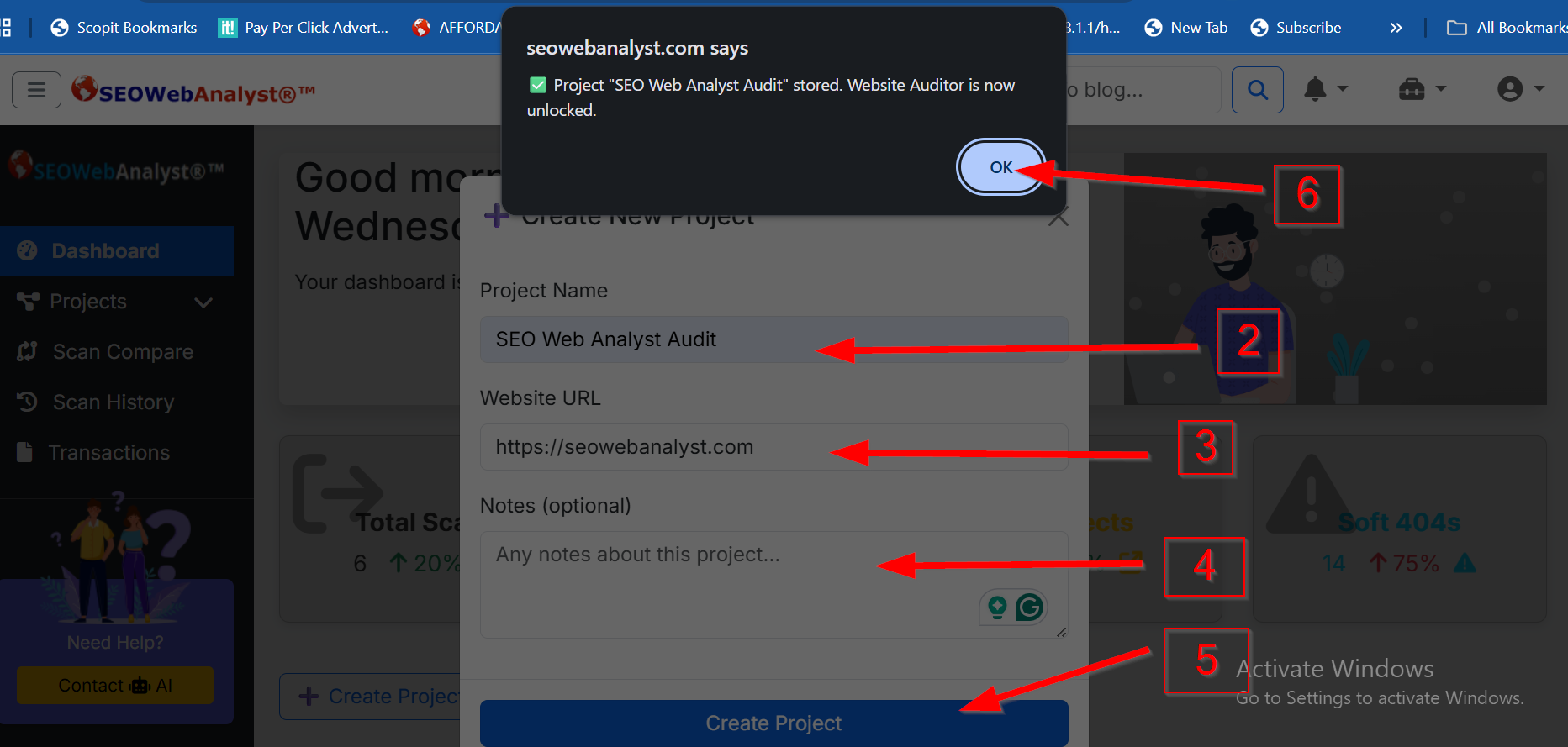
This is the method to use to unlock the auditor. If you do not follow these steps, the website link auditor will not unlock its functions.
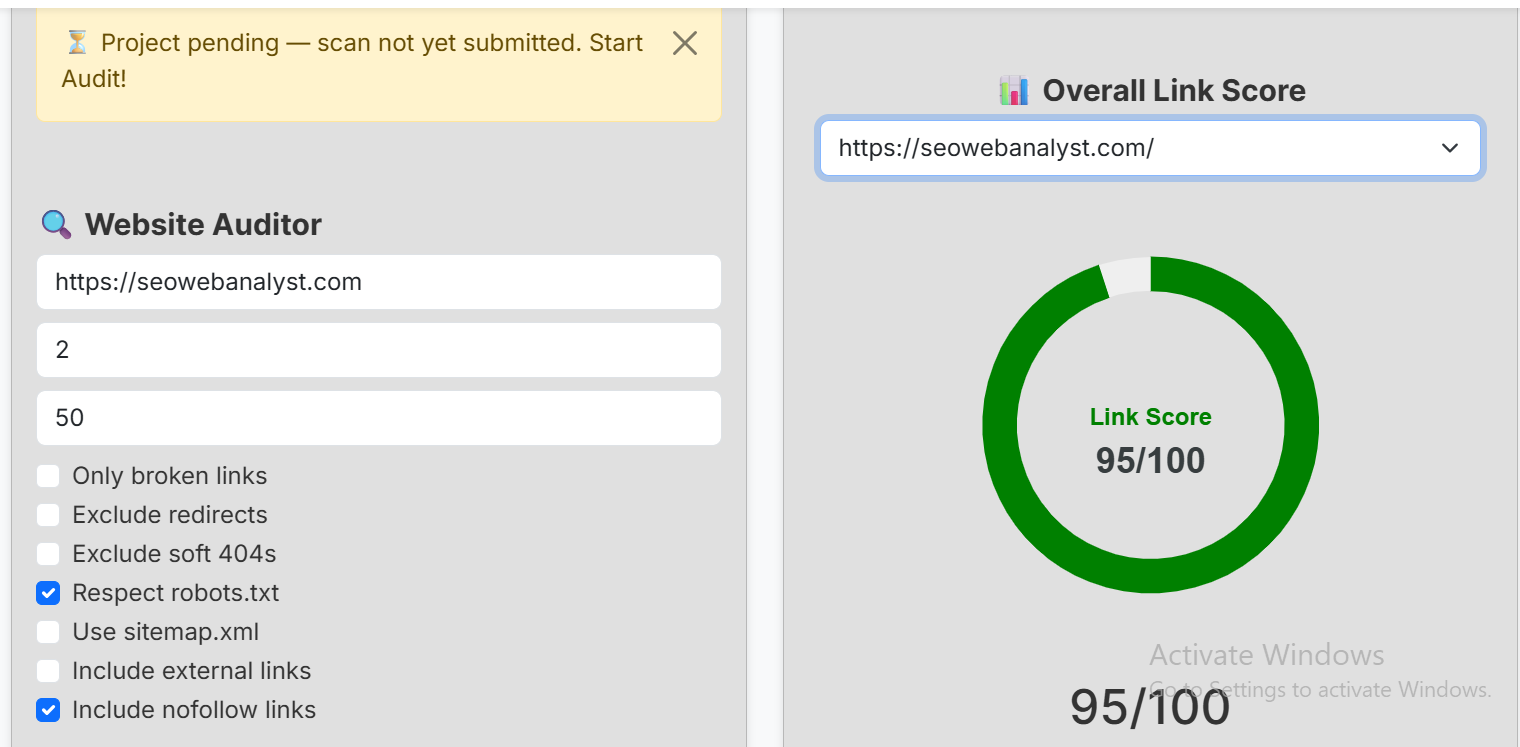
The URL you entered in the pop-up modal will autofill the website auditor. You can change it alongside your scan depth and max pages, which are set to the default of 2 and 50, respectively.
To read about scan depth and max pages, and how they can be useful to your SEO broken link audit, please visit How To Check Websites For Broken Links.
Below these input forms, we have the metrics check box. By default, we have both Respect the robots.txt and Include nofollow links check boxes already set for you. In some cases, you might need to uncheck the Respect robots.txt checkbox in order for the scan to run properly and go beyond the limitations that might be set by the website's robots.txt file.
After you have set up what data you want to get from the website link auditor, you can commence the auditor scan by clicking the "Start Audit" button.
You will be automatically redirected to the view report page, where you will see the live processing and scan optimization of your URL. On the view report page, you have two reports: the first one is the link score, while the second report is the full audit link report.
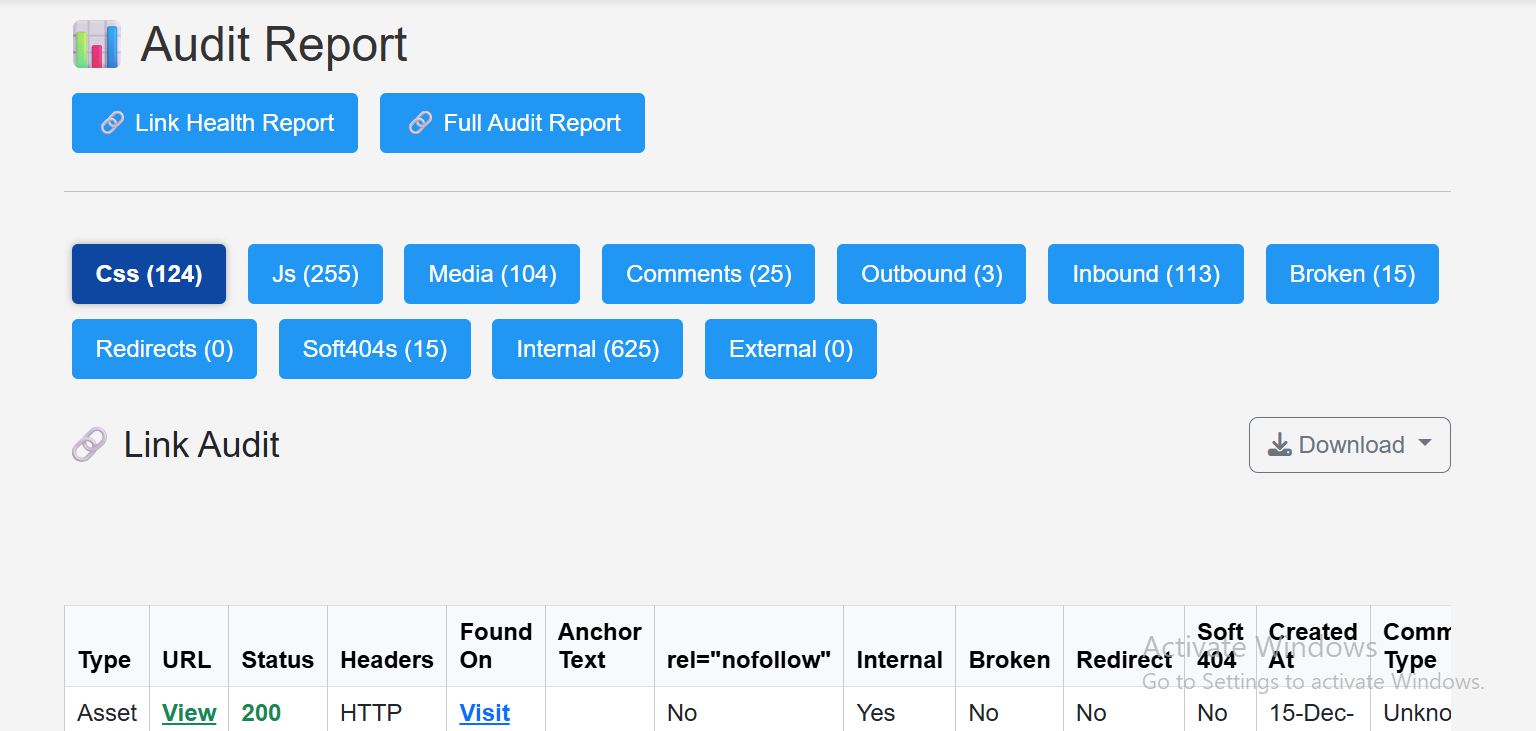
When your scan is "complete", it will automatically switch to the "Full Audit Report" tab by itself. Then click on any of the tabs to see its report; you can download the report for your convenience. By this period, the "Link Health Report" should be ready with its own tab reports as well as the link score. When you click on its tab, you should see something similar to the screenshot below.
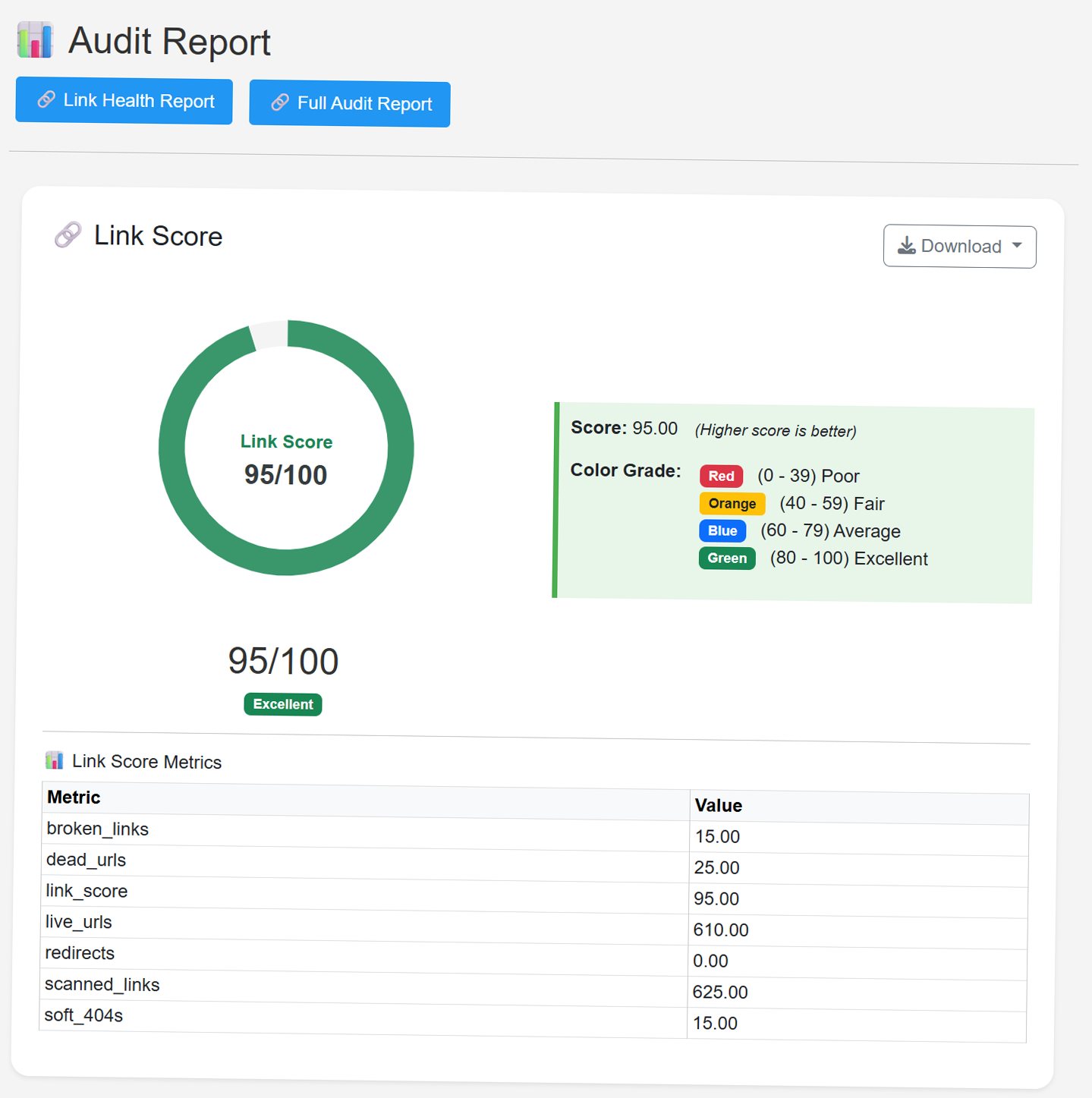
The Link Score is a diagnostic metric used to measure the overall health and reliability of hyperlinks on a website. It helps you understand how well your site’s internal and external links are functioning — and how they impact user experience, SEO, and credibility.
Purpose of the Link Score
1. Evaluate Link Integrity
• Identifies broken links, dead URLs, soft 404s, and redirects.
• A high score means most links are live and functioning properly.
2. Improve SEO Performance
• Search engines penalize sites with broken or dead links.
• A strong link score boosts crawlability, indexing, and ranking.
3. Enhance User Experience
• Visitors are less likely to bounce when links work smoothly.
• Broken links frustrate users and reduce trust.
4. Track Site Maintenance
• Helps webmasters monitor link health over time.
• Useful for audits, especially on large or frequently updated sites.
5. Benchmark Quality
• Provides a quantifiable score (e.g., 95/100) to compare across pages or competitors.
• Can be used in client reports or internal KPIs.
With this, you have successfully scanned your first URL broken link audit report, which is downloadable and can be added to your SEO reports. Now, for easy curation, we have the scan history page, where you can always go back to check your scanned projects.
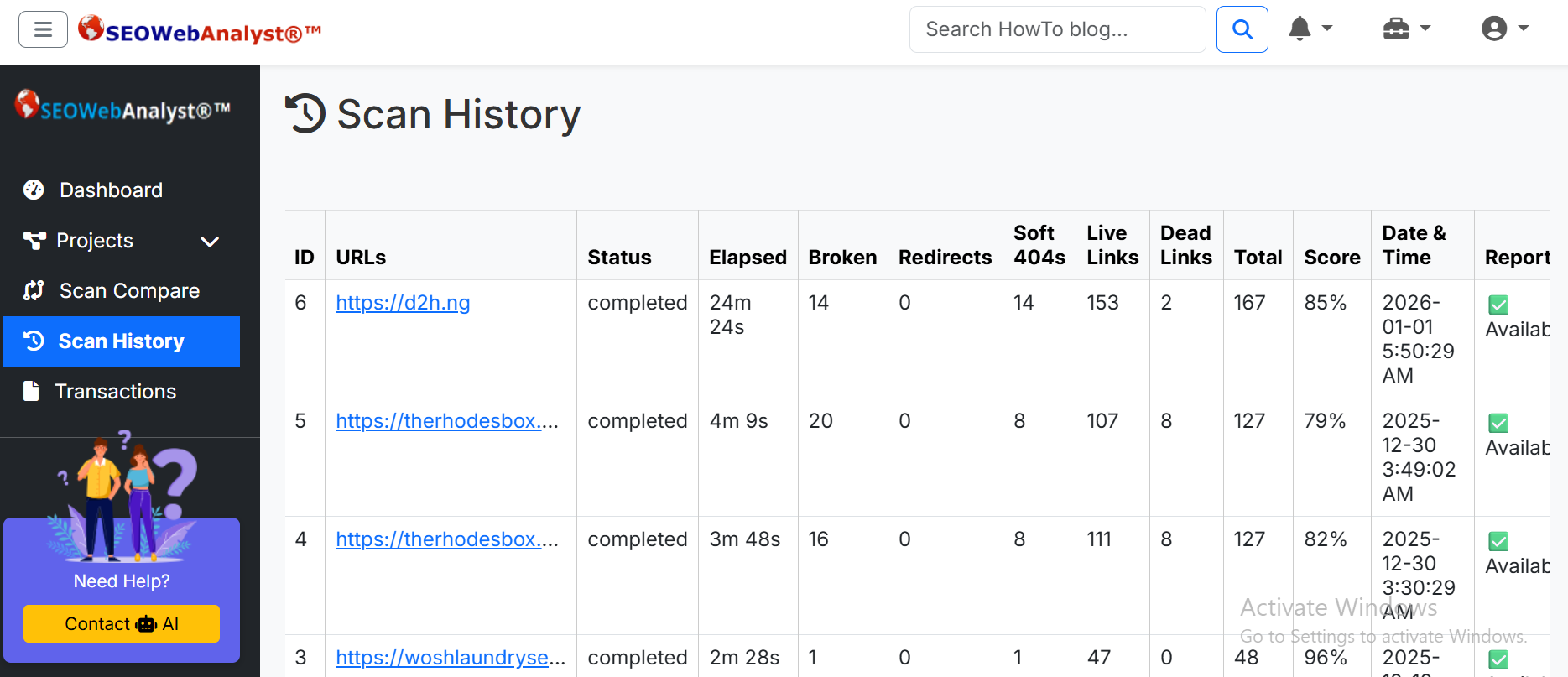
This same report is ready-made available on your dashboard, with some extra features, like a rescan button, a delete button, and a view button.
The rescan button allows you to check a URL again. Rescanning an existing project doesn’t count toward your project limit. The delete button permanently deletes the entire data of that URL (project), while the view button takes you to the report of the URL, ie, the Link Health Report and Full Audit Report.
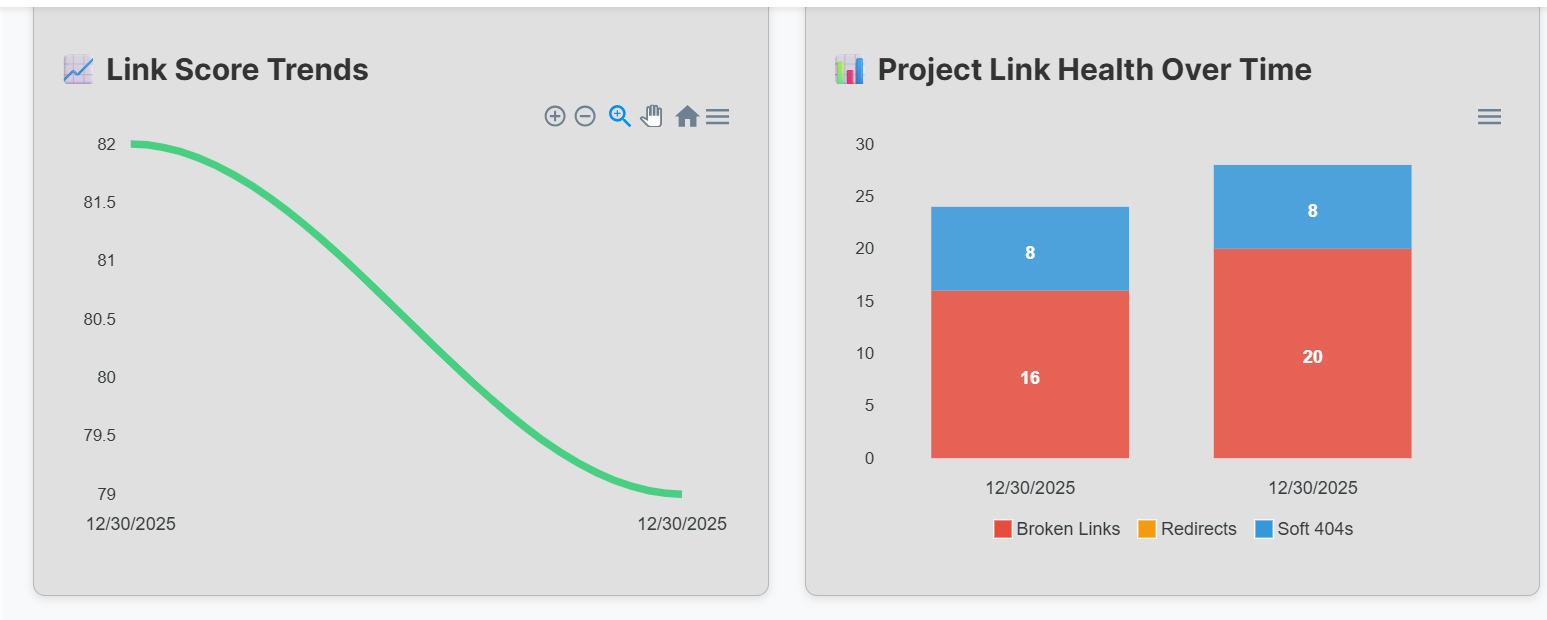
When you rescan an existing project, it have a rescan badge to separate it from your old scan, and it is plotted alongside the old scan to present the link score trend and project link health over time graphs.
These two graphs help you to visualize how your work on the website broken link audit is progressing. and a fast way to assess how trustworthy, SEO-friendly, and user-ready your site is. It’s useful for audits, client reporting, and ongoing optimization.
Conclusion: This is a demo illustration guide on how to set up the "SEO Web Analyst" Website Broken Link Auditor to scan your URL (Project) for broken links that damage your site's online performance.