 Print
Print How To Schedule Website Link Auditor Scans
Monitoring your website's broken link report is an essential aspect of SEO, as it improves user experience, SEO rankings, brand credibility, and conversion rates by ensuring visitors and search engines don’t hit dead ends when they visit your website. Most websites that are susceptible to broken links are websites with over 20 pages; even those with fewer pages can fall victim to broken links during the website linking architecture.
We will be using the SEO Web Analyst Website Link Auditor tool to run auto-scans to monitor broken links, and to do that efficiently, you need to set it up from the first instance of your report scan via the schedule scan form on your account dashboard.
To schedule your broken link scan to run automatically, set it up from the main dashboard when you log in to your dashboard. Depending on your account limits, you will know the frequency at which your website link auditor scan can be performed. You will see the project limit message on the website auditor's bottom card. Above it, you will notice the toggle button for "Schedule this URL for auto-scan," right after the "include nofollow links" checkbox.
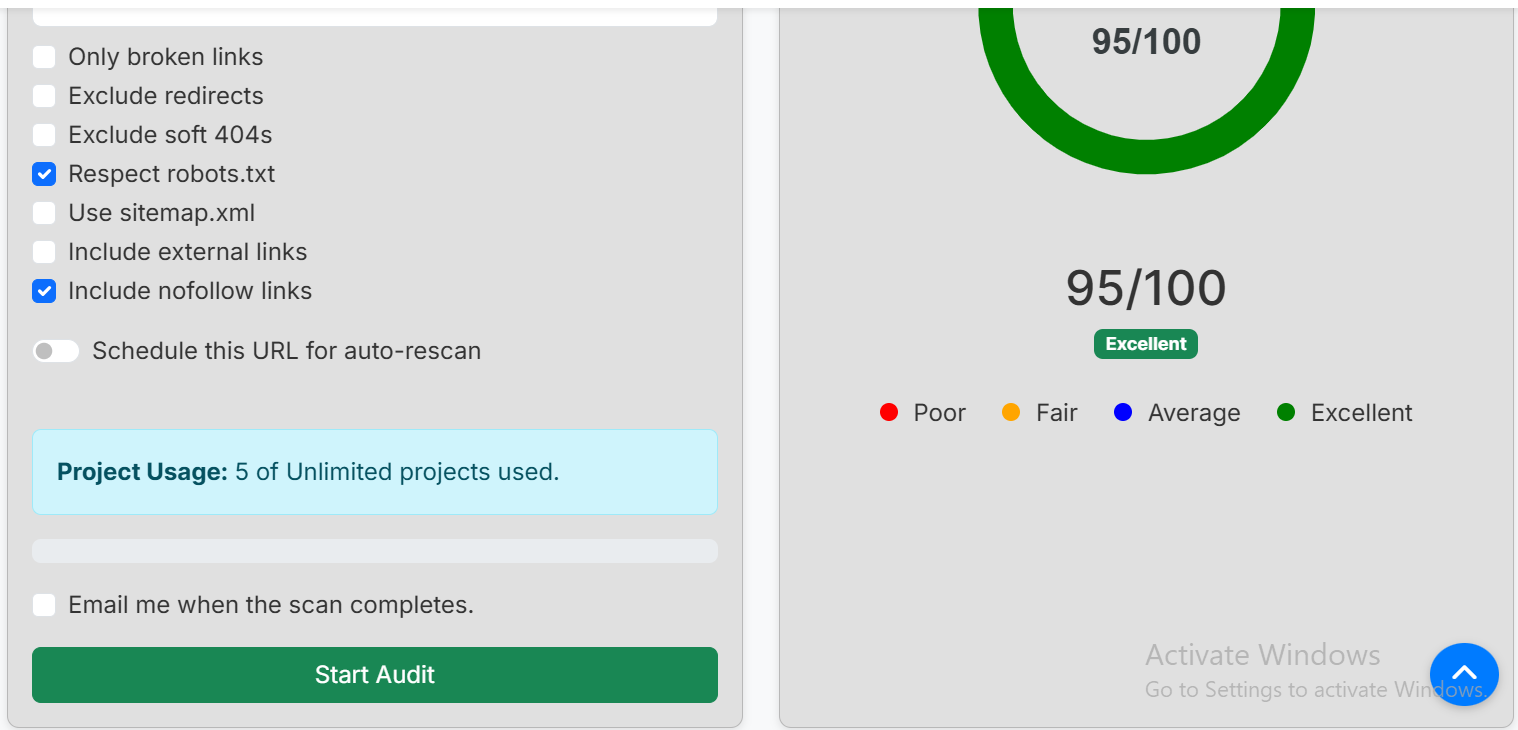
You must have hit the "create project" button to initiate the first process to unlock the website auditor. Without doing that first, the website auditor is just a dud.
Recommended Read: How To Set Up Website Broken Link
When you have done this and unlocked the website auditor, autofilled with your project URL, you can now toggle the schedule button to unlock the calendar and drop down frequency scan. Now, based on your account plan, we have three types of frequency scans. We have the monthly scan, the X2 monthly scan, and the weekly scan. To set up the frequency, you need to pick from a monthly calendar, which is the duration of your plan, and based on the frequency, the auto-scan will run your first scan for you to review your current link score and work on it to improve your next auto scan report, and then auto schedule the next scan based on your account plan duration on the calender.
What this means is that if you are on a monthly scan, you get to scan a project the website link auditor will run your first scan for current report and you are expected to work on the result to improve on it prior the next auto scan scheduled date, you can setup the email alert checkbox so you get notified whenever the scanned reports are ready on the dashboard.
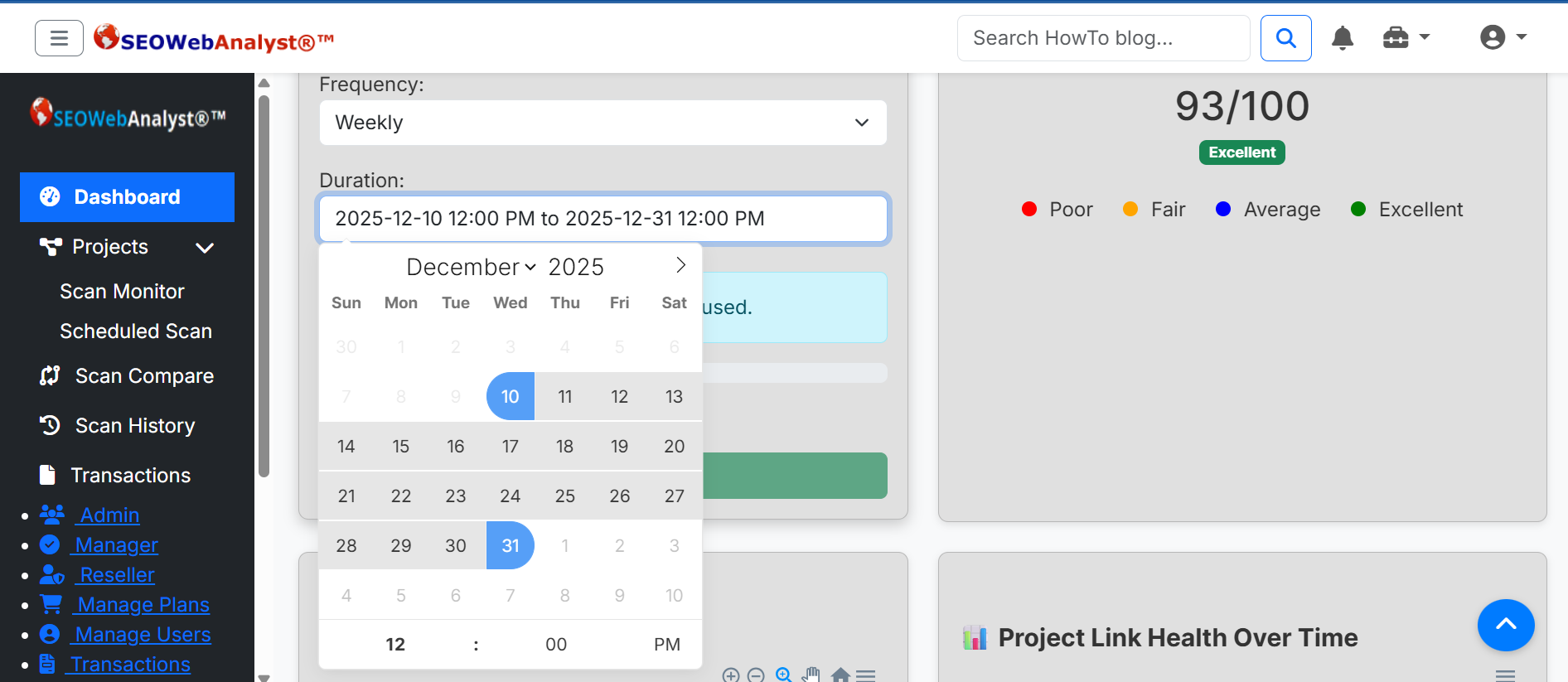
Monthly Scan: This allows you to schedule your scan once a month for that project URL; websites that have between 20 pages fall under this category.
x2 Monthly Scan: This allows you to schedule your scan x2 a month for the project URL; websites that have above 20 pages are suitable for this frequency.
Weekly Scan: This is an x4 Monthly scan that allows you to auto-rescan a project URL once per week, and depending on your monthly account duration, you can auto-scan x4.
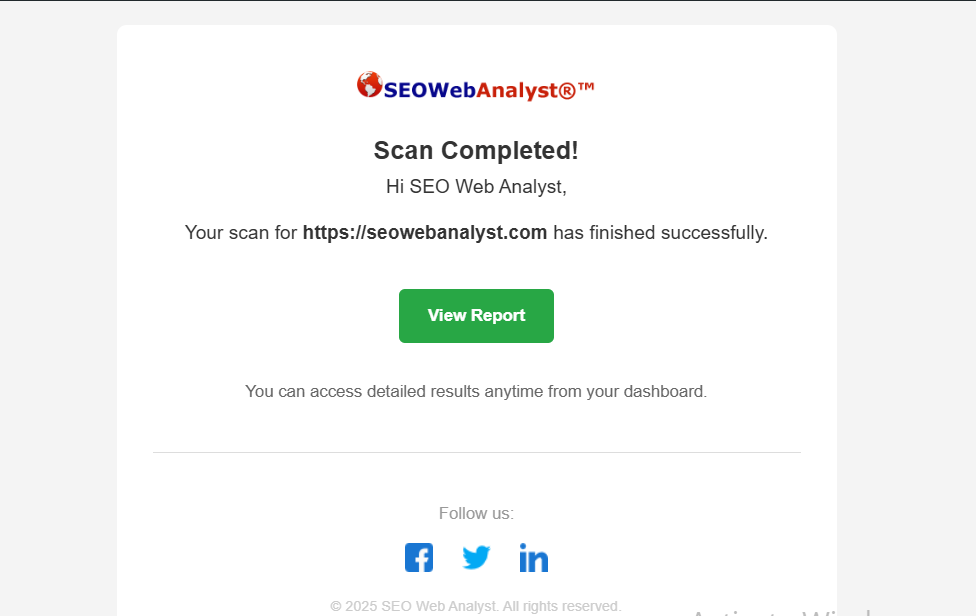
If you check the email me when the scan completes check box, you should get an email alert reminder when the first scan report is done. You should check your inbox or spam box for this report; mostly your first scan runs to offer you the first report for you to preview and analyze prior to the main auto-scan reports that will subsequently follow. PS: You need to be logged into your account dashboard for the View Report button to display your scan report.
Recommended Read: How To Check Website For Broken Links
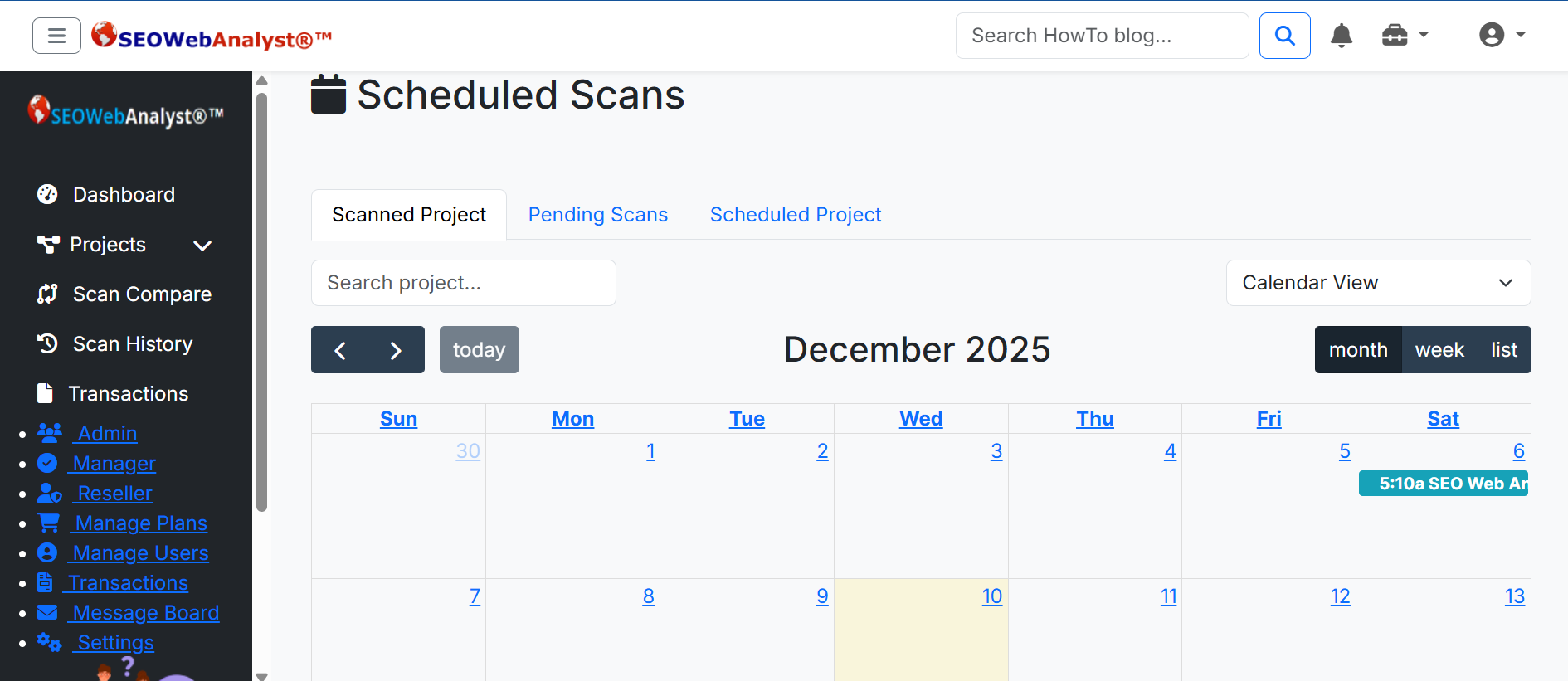
To know when your next scheduled auto-scan will take action, you can check the schedule scan tab. On this calendar page, you have three tabs: the Scanned tab, the Pending tab, and the Scheduled tab. These three tabs help to categorize your scan progress and keep records of your scan reports. PS: Scan reports are only kept for 180 days per project URL, after which they are deleted from the server.
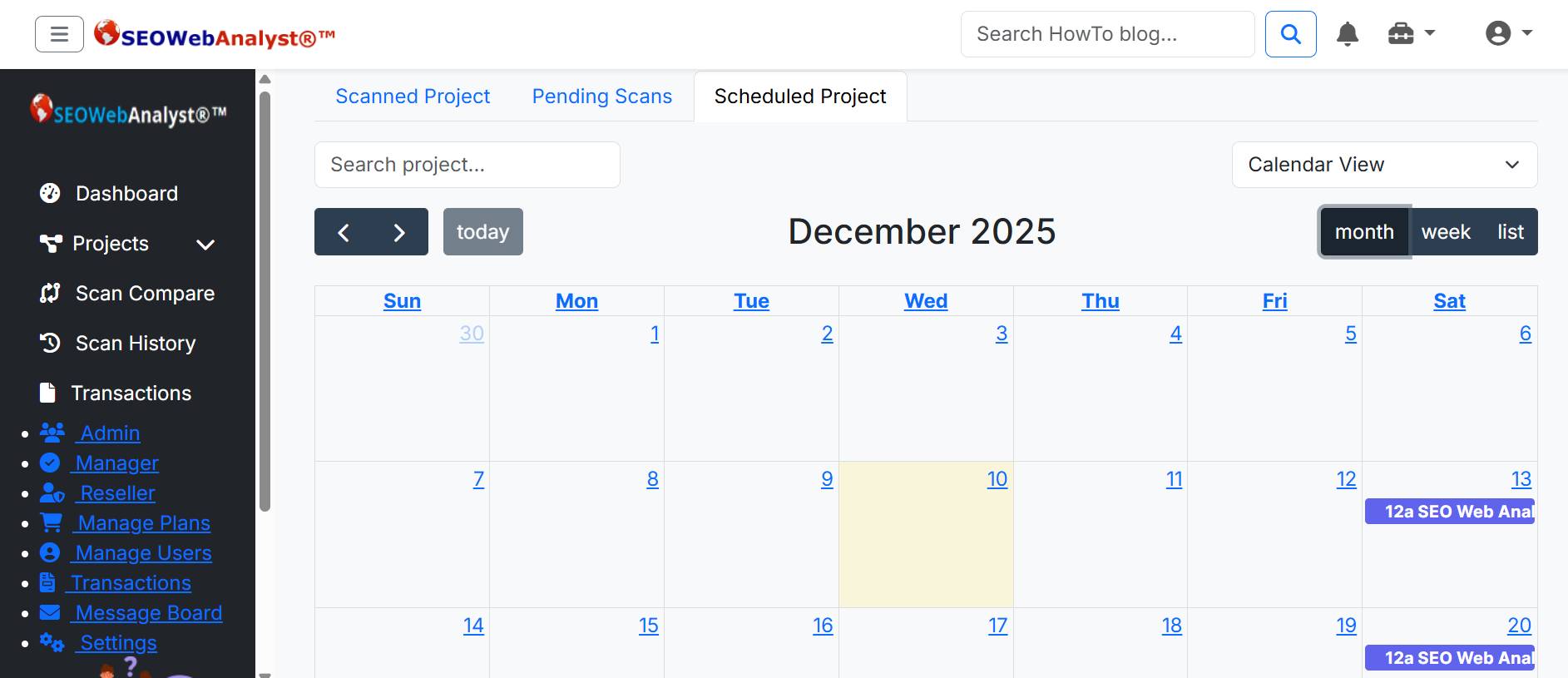
As seen in the image above, you will be able to see when your next auto-scan will run, depending on your scan frequency. While on the scanned tab, you have records of scanned projects that you executed manually and auto-scan. They will display here, and any scanned project that you have scanned in the past and is not under scheduled scan can be rescheduled again, only difference here is you can not set up the frequency, meaning the auot-scan will be decided by you and the frequecy is once, this is similar to you rescan an already scanned project only difference is you are shceduling the rescan of the same project that has already been executed and is not currently under schedule scan (if it is under schedule scan the prompt will not allow this).
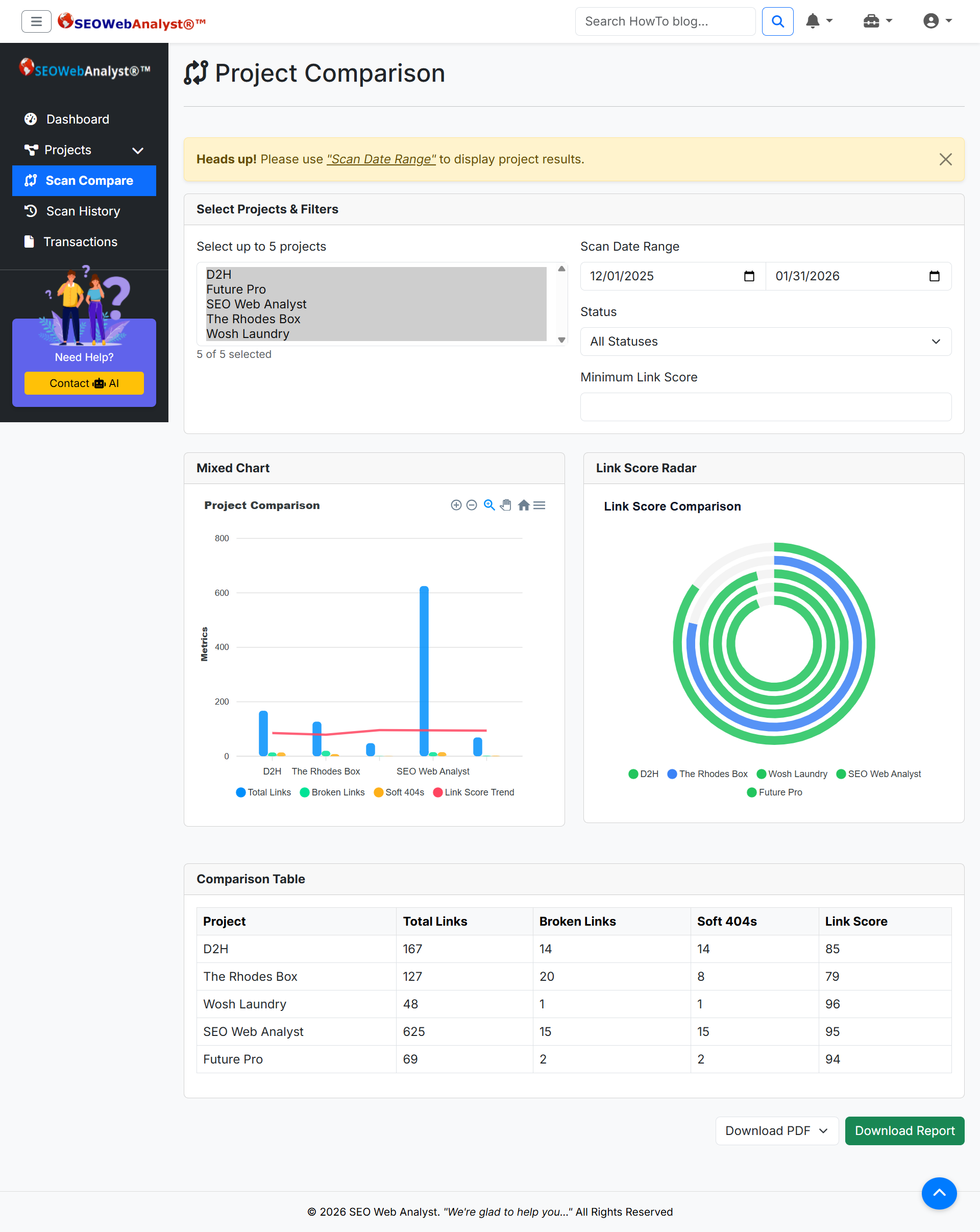
The calendar curation of your projects also helps you to use the scan compare tab to compare your link score and broken link audit across all your projects. This aims to help you put all your workload into perspective and to see how much traction you have across all your project workflows. This can come in handy if you are an agency and working across different websites run by one client.
These are part of the features that make up the SEO Web Analyst Website Broken Link Auditor, a powerful tool for your SEO journey.
Core Advantages of the Broken Link Auditor
Automated Link Monitoring: Continuously scans your site for broken internal and external links. Depending on your auto-scan frequency.
SEO Protection: Prevents search engines from penalizing your site for poor link health. The Link Score is a good metric for this identifier.
User Experience: Ensures visitors don’t hit frustrating 404 errors by keeping users engaged longer and reducing bounce rates.
Backlink Value Preservation: Protects the SEO equity of inbound links pointing to your site. Avoids wasting valuable backlinks from other websites.
Detailed Reporting: Provides actionable insights on where broken links exist. Makes fixing issues straightforward for developers or content managers.
Competitive Edge: A healthier site signals trustworthiness compared to competitors. Builds credibility and authority in your niche.
Integration with Other SEO Tools: Works alongside keyword analysis, backlink auditing, and content curation. Creates a holistic SEO workflow without gaps.
Why It’s a Must-Have Tool
- Proactive Maintenance: Instead of waiting for users or Google to flag broken links, you stay ahead.
- Revenue Protection: For e-commerce sites, a broken product or checkout link can directly cost sales.
- Scalability: Large sites with thousands of pages benefit from automated scanning that humans can’t realistically do.
- Professionalism: Agencies can use it to show clients they’re maintaining site health, adding value to their services.