 Print
Print How to Run a Practical SEO Audit: Fixing Broken Links and On-Page Issues with SEO Web Analyst.
In the ever-evolving landscape of search engine optimization (SEO), a regular and thorough audit is not just a best practice; it's a necessity. Many businesses, especially small to medium-sized enterprises (SMEs) and digital marketers, often feel overwhelmed by the perceived complexity and cost of a comprehensive SEO audit. However, a practical SEO audit doesn't always require expensive tools or an army of specialists. By leveraging accessible platforms like SEO Web Analyst and free resources such as Google Search Console, you can effectively identify and resolve critical issues that impact your search rankings and user experience.
But before moving forward with this topic, I would like to clear the misconception most digital marketers have about SEO Audit and SEO Analysis. The two are not interchangeable; SEO Audit encompasses the foundation core of a full SEO Service, as it consists of SEO Analysis (Which describes the on-page optimization section), Broken Link Audit (Which describes the technical audit of SEO in general), and Back Link Analysis (handles the off-page optimization section).
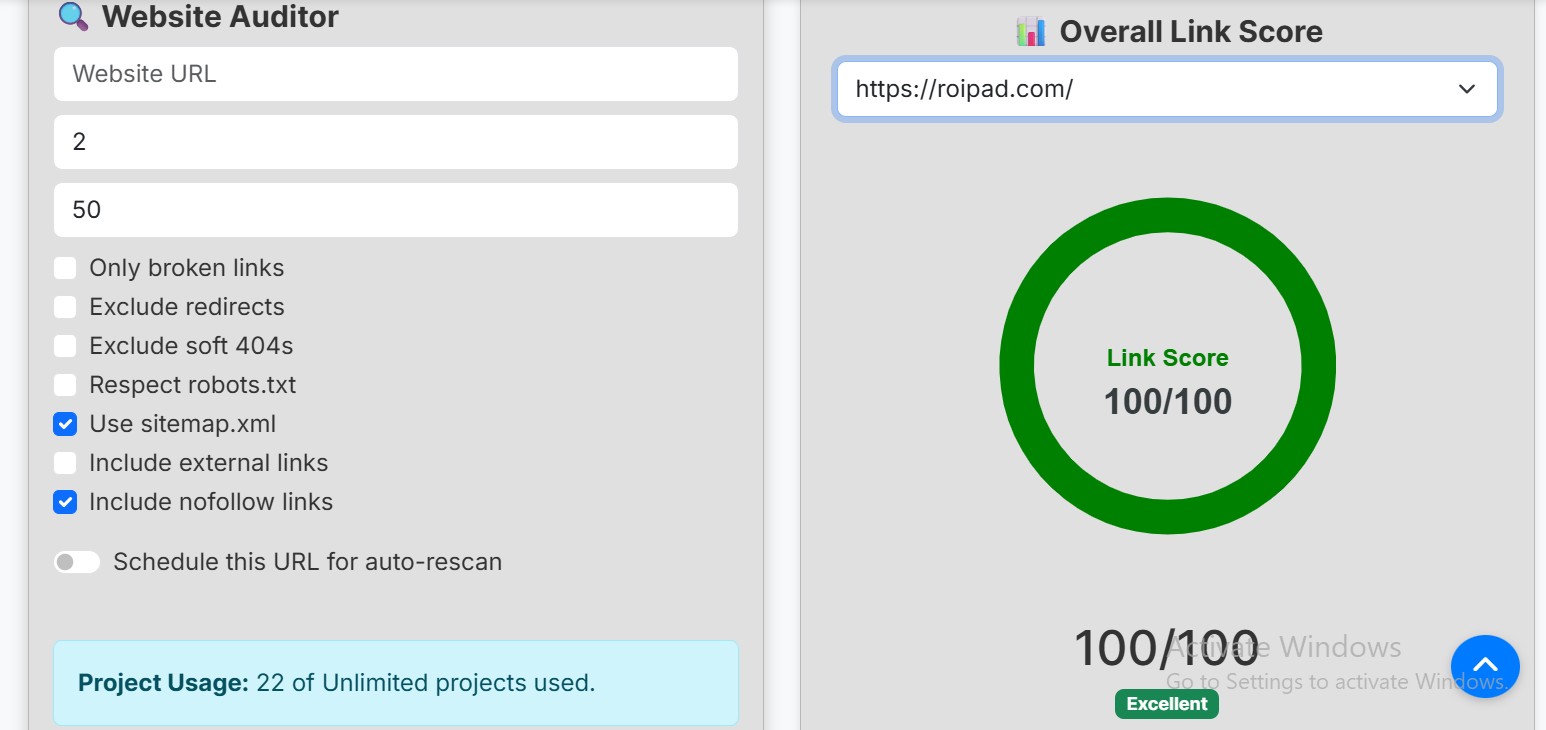
This guide will walk you through a streamlined, five-step process to conduct a practical SEO audit, focusing on fixing broken links and optimizing on-page elements. We'll integrate the powerful features of SEO Web Analyst's Broken Link Auditor and SEO Analysis module, which you can further complement with Google Search Console for backlinks checks.
What a Practical SEO Audit Entails (Beyond Just Backlinks)
A practical SEO audit is a systematic review of your website's performance, technical health, and content quality from a search engine's perspective. While backlinks are undoubtedly crucial for authority, they represent only one facet of a successful SEO strategy. A truly effective audit delves into:
- Technical SEO: Ensuring search engines can easily crawl, index, and understand your site.
- On-Page SEO: Optimizing individual page elements (titles, meta descriptions, content) for relevance and user engagement.
- Content Quality: Assessing the value, uniqueness, and comprehensiveness of your content.
- User Experience (UX): Evaluating site speed, mobile-friendliness, and overall navigability.
- Internal Linking: How pages on your site connect, distribute authority, and guide users.
Our focus today will be on actionable steps within these areas, particularly those you can tackle with SEO Web Analyst and Google Search Console, and using ROIPad.com as a demo study for this SEO Audit.
Step 1: Crawl the Site and Find Broken Internal Links with Broken Link Auditor
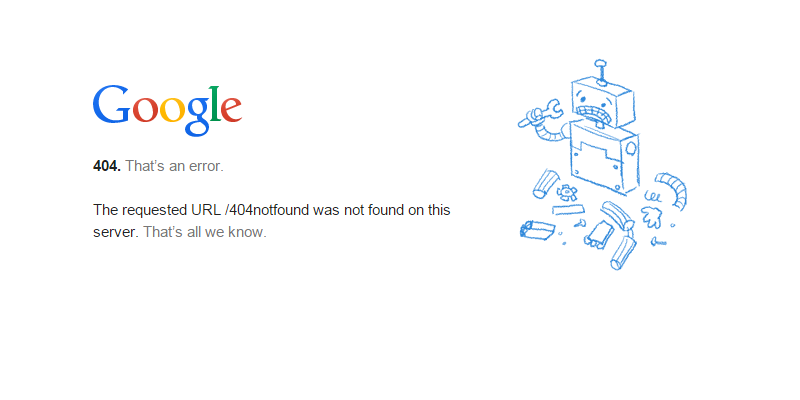
Broken links are detrimental to both user experience and SEO. They lead to 404 errors, frustrate visitors, and prevent search engine crawlers from efficiently navigating your site, potentially wasting your "crawl budget." The first step in our practical SEO audit is to identify these broken links using SEO Web Analyst's Broken Link Auditor.
How to use SEO Web Analyst's Broken Link Auditor:
- Initiate a Full Site Scan: Within the SEO Web Analyst dashboard, navigate to the Broken Link Auditor section. Input your website URL and initiate a full site crawl. The tool will systematically scan all internal and external links on your site.
- Review the Report: Once the scan is complete, the Broken Link Auditor will generate a detailed report listing all identified broken links (404 errors), along with their source pages. Pay close attention to internal broken links, as these are within your direct control.
- Prioritize: The report should help you prioritize which broken links to fix first. Often, broken links on high-traffic pages or those deep within your site structure should take precedence.
Recommended Read: How To Set Up Website Broken Link
Step 2: Fix Broken Links and Improve Internal Link Structure
Once you have identified the broken links, the next crucial step is to fix them. This not only restores user experience but also reclaims any
"link juice" that might have been lost. This step also presents an opportunity to enhance your overall internal linking strategy.
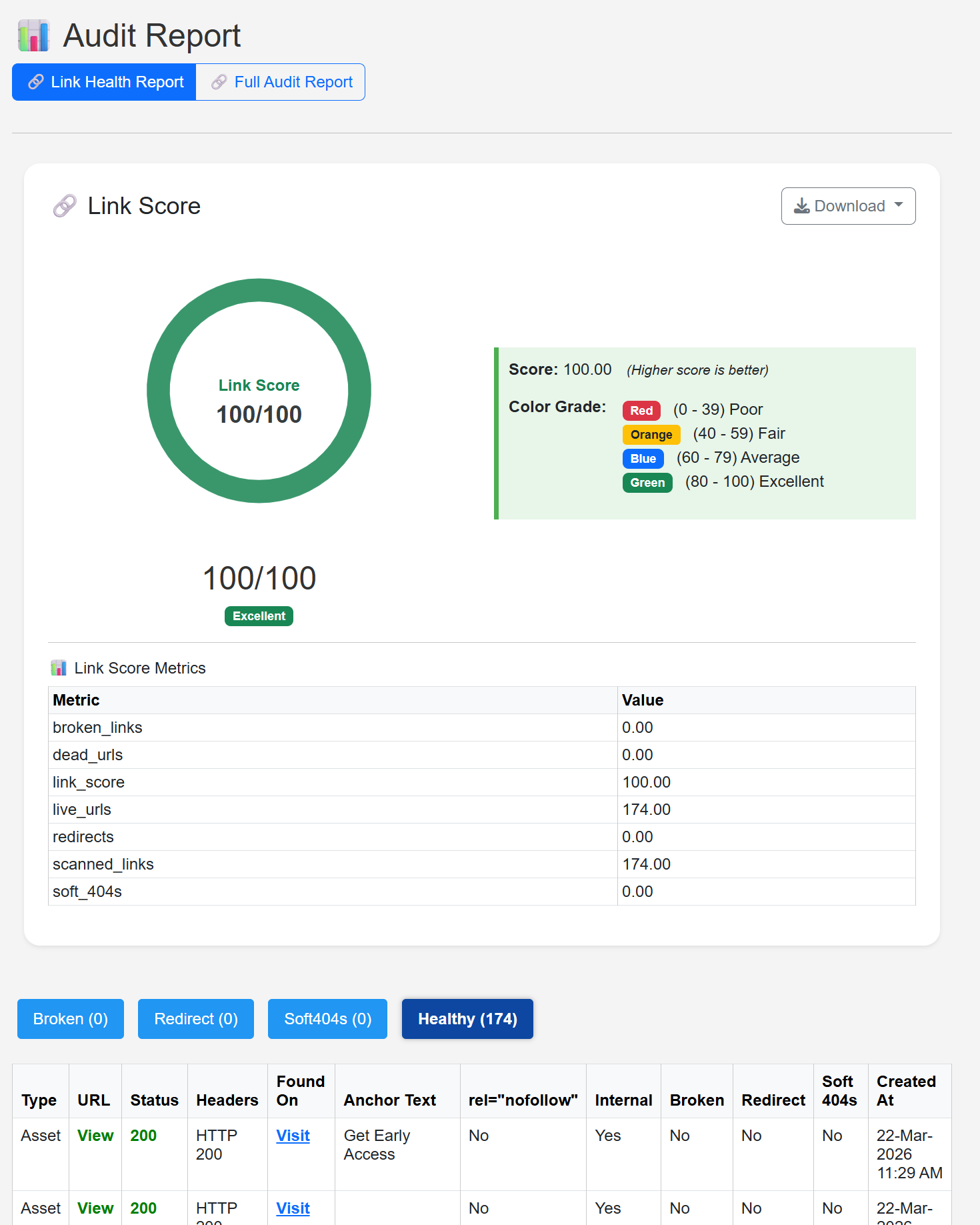
From the scan result above, we can state that ROIPad.com is a well-structured site with a very good link architecture, but for those with poor link score results and broken links, kindly follow the strategies below;
Strategies for fixing broken links:
- Update the Link: If the linked page has simply moved, update the URL on the source page to the new, correct destination.
- Redirect (301): If the page has been permanently removed or replaced by a new, relevant page, implement a 301 redirect from the old URL to the new one. This passes on most of the link equity.
- Remove the Link: If the content is no longer relevant and there's no suitable replacement, remove the broken link entirely.
- Create New Content: In some cases, a broken link might point to content that is still valuable but was removed. Consider creating new, updated content for that topic.
Improving Internal Link Structure:
While fixing broken links, consider the broader internal linking strategy:
- Crawl Depth: Ensure important pages are not buried too deep within your site structure (i.e., requiring many clicks from the homepage). A shallower crawl depth generally helps search engines discover and index pages more efficiently.
- Anchor Text: Use descriptive and relevant anchor text for your internal links. This helps both users and search engines understand what the linked page is about.
- Contextual Linking: Link to relevant pages naturally within your content, providing additional value to the reader and strengthening the thematic relevance between pages.
Step 3: Run On-Page Analysis with SEO Web Analyst's SEO Analysis Module
With your internal links in order, the next step is to dive into the on-page and technical elements that directly influence how search engines perceive and rank your individual pages. SEO Web Analyst's SEO Analysis module is designed to streamline this process, offering insights into critical optimization opportunities.
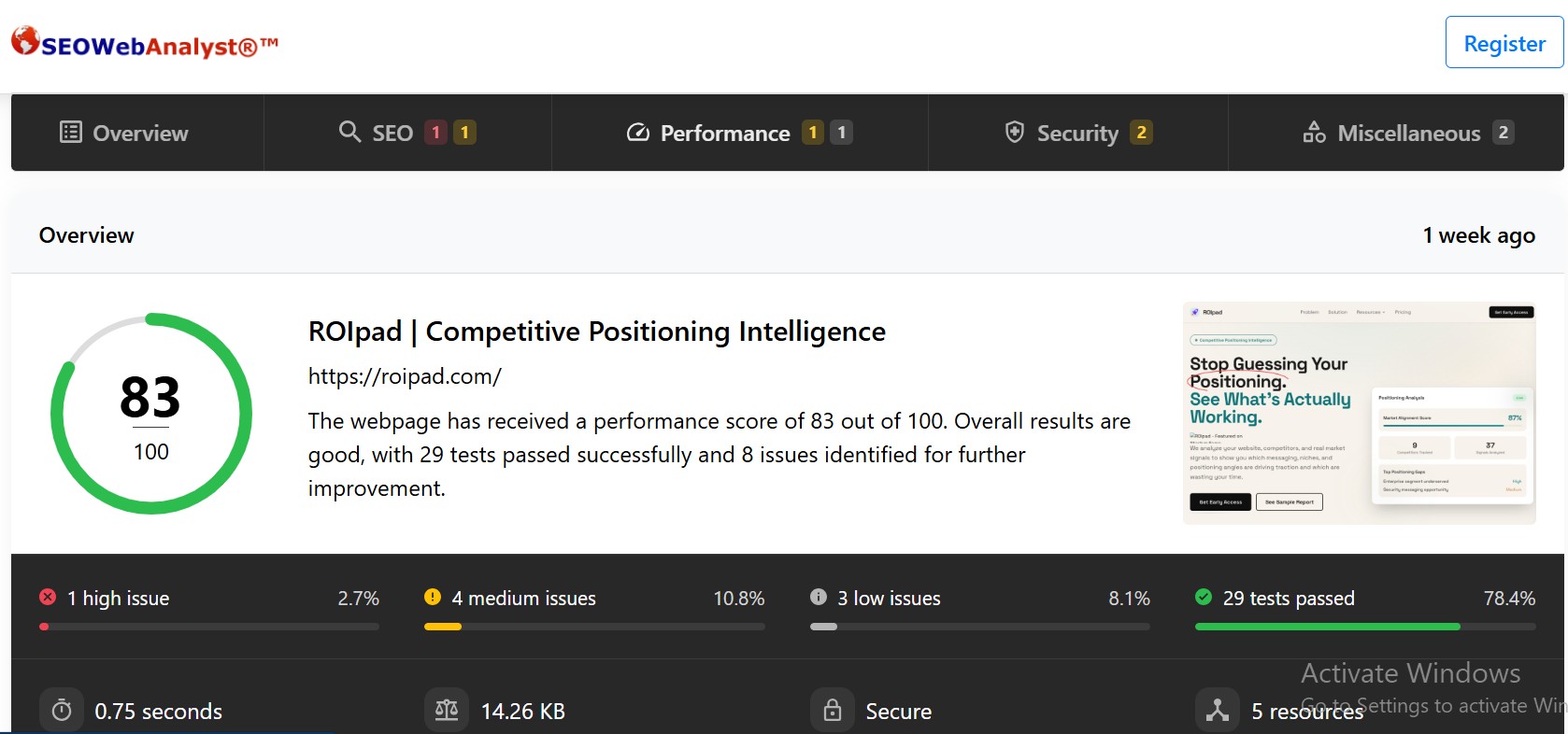
Key areas to check with the SEO Web Analyst's SEO Analysis:
- Titles and Meta Descriptions: Ensure each page has a unique, compelling, and keyword-rich title tag and meta description. These are often the first impression users get in search results.
- Content Quality and Relevance: Analyze your content for keyword density (without stuffing), readability, and comprehensiveness. The tool can help identify areas where content can be improved to better meet user intent.
- Technical Issues: Look for issues like duplicate content, missing alt tags on images, canonicalization problems, and proper use of heading tags (H1, H2, etc.).
- Page Speed: While an SEO Web Analyst might not offer deep page speed diagnostics, it can highlight if speed is a general issue. (More detailed speed analysis will come with GSC).
- Indexability: Verify that important pages are not accidentally blocked from search engine crawlers via noindex tags or robots.txt directives.
Actionable steps:
- Select a Page for Analysis: Input the URL of a specific page you want to audit into the SEO Analysis module.
- Review Recommendations: The tool will provide a score and a list of recommendations, often prioritized by impact. Focus on addressing the high-priority items first.
- Implement Changes: Make the suggested changes directly on your website. This might involve updating content, modifying meta tags, or adjusting technical configurations.
- Re-run Analysis: After implementing changes, re-run the SEO Analysis for that page to confirm the improvements and track your progress.
Step 4: Use Google Search Console to Check External Links and Coverage
While an SEO Web Analyst excels at internal site health, Google Search Console (GSC) is your indispensable, free tool for understanding how Google views your site. It provides crucial data on your site's performance in search results, indexing status, and, importantly, your external link profile. This is where you'll get insights into backlinks, which SEO Web Analyst does not provide.
Key GSC features for your practical SEO audit:
- Links Report (External Links): Navigate to the "Links" section in GSC. Here, you can see which sites are linking to yours, the anchor text they use, and your top-linked pages. While GSC doesn't offer a "disavow" tool directly, it helps you identify potentially harmful or spammy backlinks that you might want to disavow using Google's Disavow Tool (a separate process).
- Coverage Report: This report shows which of your pages are indexed by Google, which have errors, and which are excluded. Pay attention to the "Error" and "Excluded" tabs to identify pages that aren't being indexed as expected. This can often reveal technical issues that need attention.
- Core Web Vitals: GSC provides a dedicated report on Core Web Vitals, which are crucial user experience metrics (Loading performance, interactivity, and visual stability). Address any identified issues to improve user experience and search rankings.
- 404 Errors (under Pages > Not found): GSC will show you external links pointing to non-existent pages on your site. While SEO Web Analyst handles internal broken links, GSC helps you catch those originating from other websites. You can then implement 301 redirects for these to recover lost link equity.
Recommended Read: How To Use Google Search Console To Improve SEO
Other Free Backlink Tools:
For a more in-depth look at your backlink profile beyond what GSC offers, consider free versions of tools like:
- Ahrefs Backlink Checker: Provides a quick overview of your domain rating, number of backlinks, and referring domains.
- Semrush Backlink Checker: Offers similar insights into your backlink profile and competitive analysis.
These tools can help you understand the quality and quantity of your backlinks, which is vital for a holistic SEO strategy.
Step 5: Prioritize Fixes and Set Up a Recurring Audit Workflow
An SEO audit isn't a one-time event; it's an ongoing process. Once you've identified issues across broken links, on-page elements, and external signals, the next step is to prioritize your fixes and establish a routine for continuous improvement.
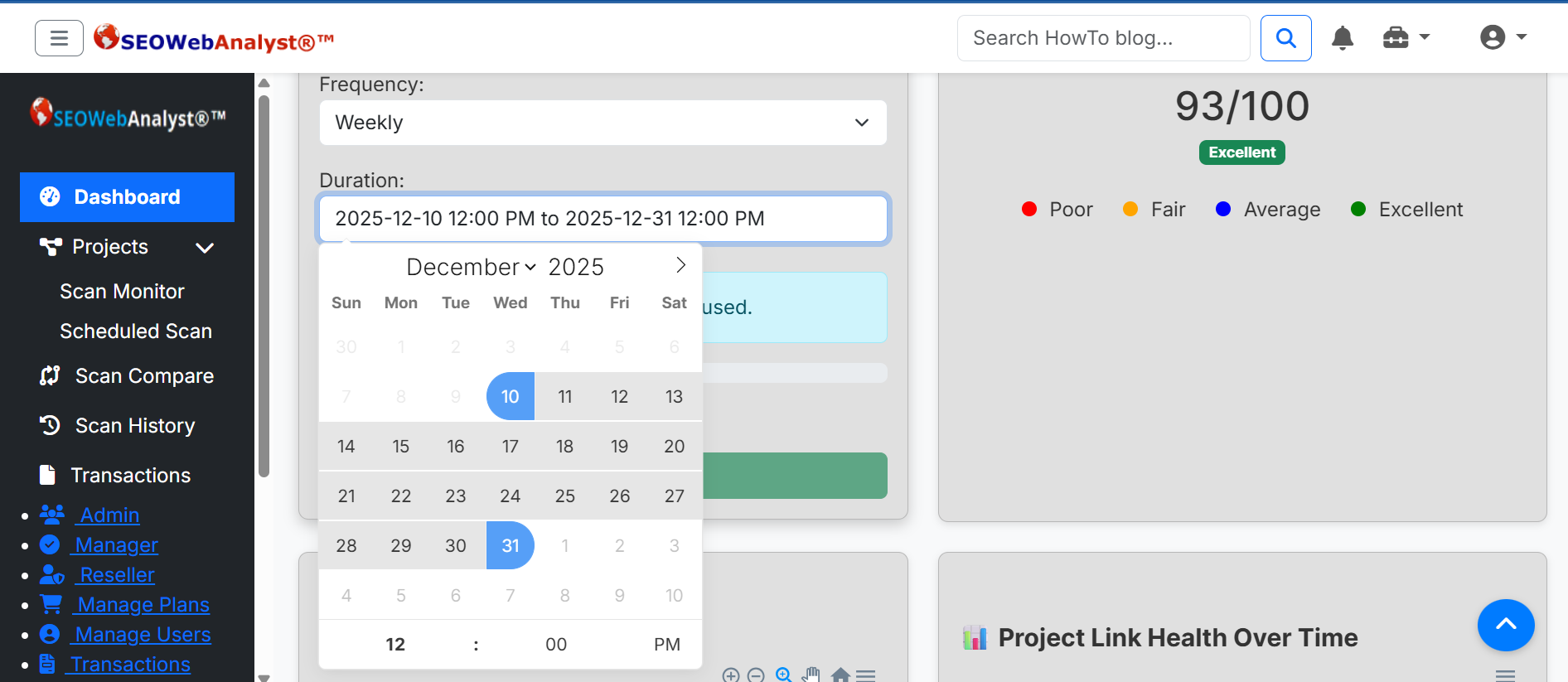
Prioritization Strategy:
- Impact vs. Effort: Focus on issues that offer the highest potential impact on your SEO performance with the least amount of effort. Broken links on high-traffic pages, critical technical errors, and major Core Web Vitals issues often fall into this category.
- User Experience: Prioritize fixes that directly improve the user experience, as this indirectly benefits SEO.
- Technical Foundation: Ensure your site's technical foundation is solid before diving deep into content optimizations.
Setting Up a Recurring Audit Workflow:
Combine the strengths of SEO Web Analyst and Google Search Console to create an efficient, recurring audit schedule:
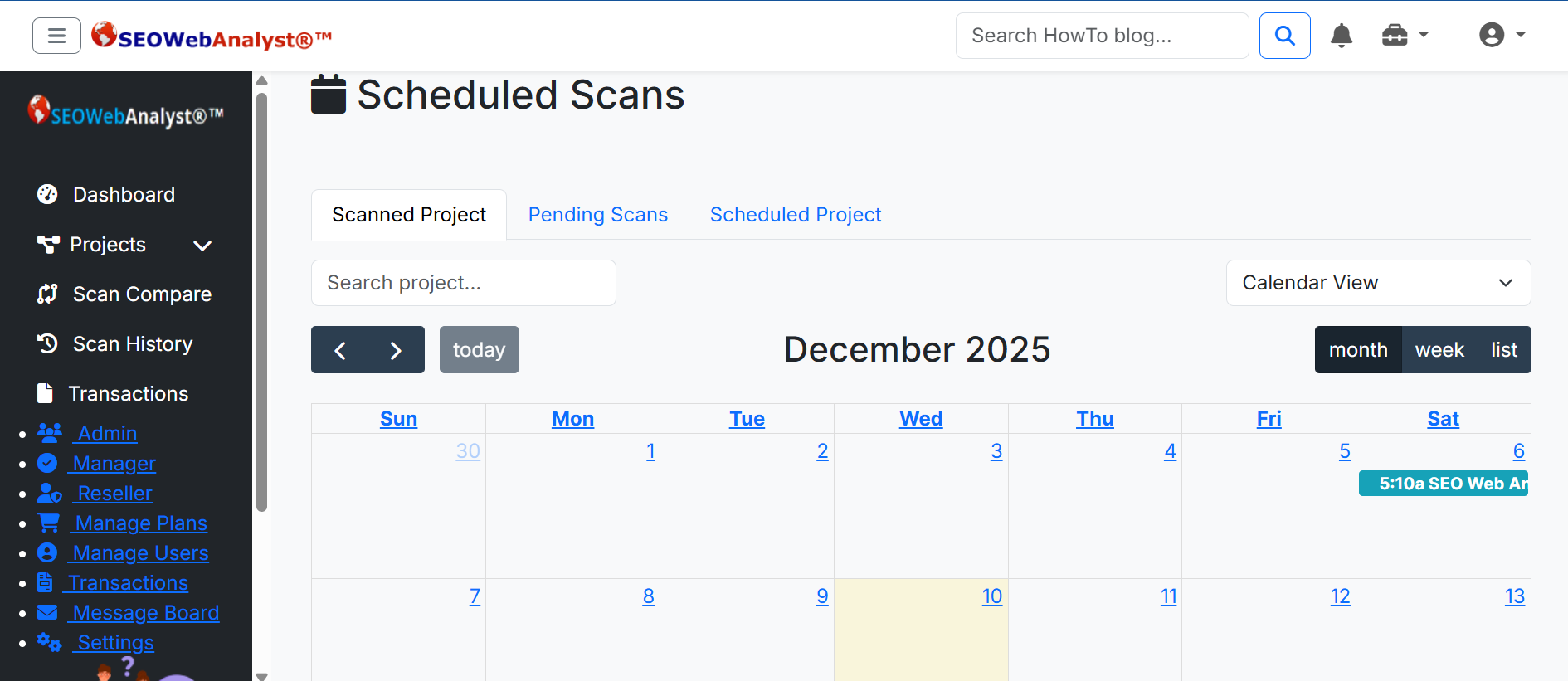
- Monthly/Quarterly with SEO Web Analyst: Schedule regular full site crawls with the Broken Link Auditor to catch new broken links as they emerge. Use the SEO Analysis module to periodically review your top-performing pages and new content for on-page optimization opportunities.
- Weekly/Bi-Weekly with Google Search Console: Regularly check your GSC reports for:
- New errors or excluded pages.
- Monitor for any declines in performance.
- Identify new external links pointing to non-existent pages.
- Keep an eye on your backlink profile for any unusual activity.
By integrating these tools into a consistent workflow, you can proactively maintain your site's health, respond quickly to issues, and continuously optimize for better search engine visibility.
Before concluding our post, I would like to make an honorable mention to ROIPAD, the website we used in this case study.
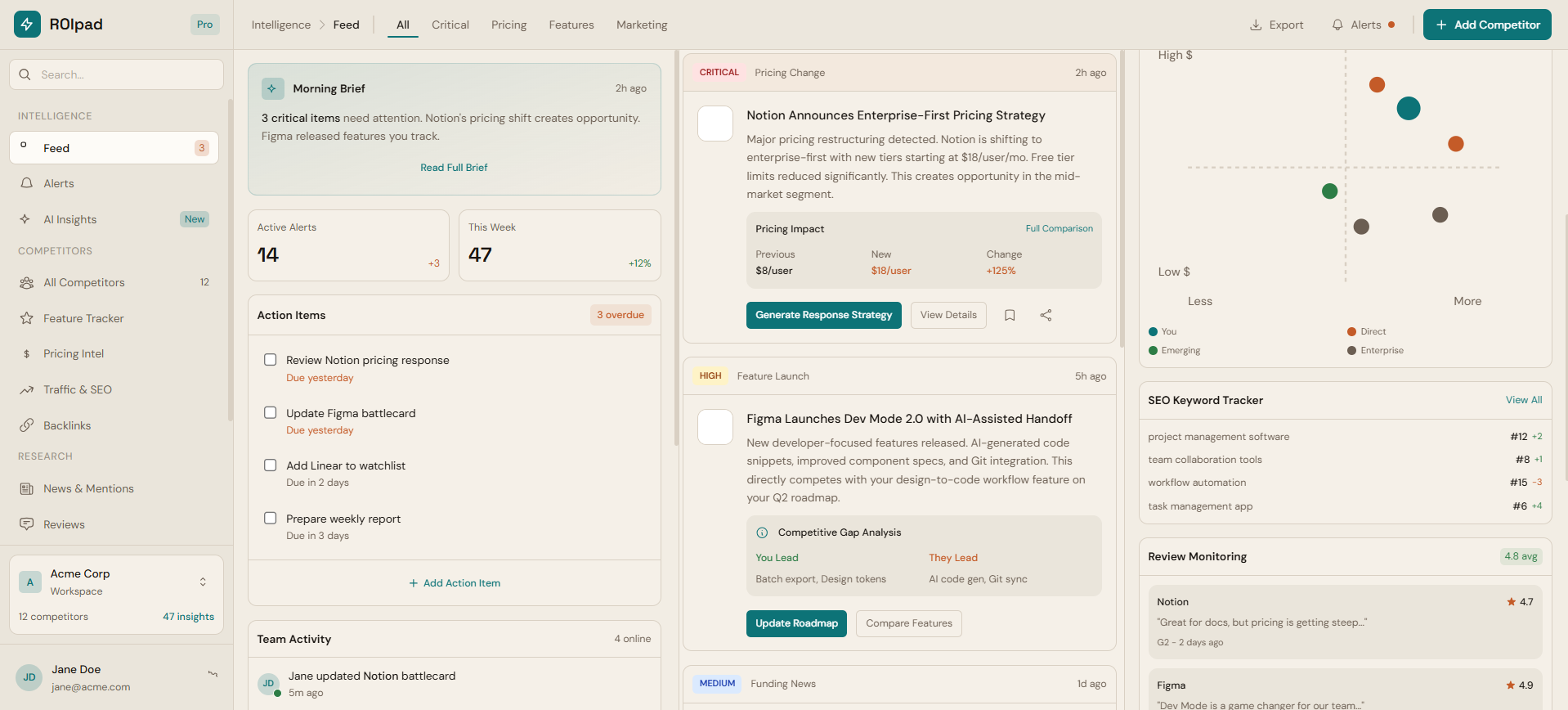
URL: https://roipad.com
Tagline: Stop guessing your positioning. Get data-backed competitive intelligence and market signals to drive your B2B SaaS GTM strategy.
Description: Startups rarely fail because they cannot build good software; they fail because of poor positioning. When messaging is misaligned, it attracts the wrong audience, leading to high acquisition costs, low conversions, and severe churn. Teams waste critical months guessing at copy changes while competitors gain traction.
Roipad is a continuous competitive positioning and market intelligence platform that transforms positioning from a subjective guessing game into a precise, data-backed science. Instead of relying on generic AI advice or traditional SEO tools that only measure traffic, Roipad shows you exactly which positioning angles your competitors use, how the market reacts, and which niches demonstrate the strongest revenue patterns.
Our continuous four-step methodology analyzes your current digital presence, intelligently identifies relevant competitors, and maps crucial market signals across the landscape. The result is a highly actionable, board-ready report. Key deliverables include a Positioning Comparison Matrix to visually highlight white space in your market, a Messaging Gap Analysis to identify underserved angles your competitors have missed, and Niche Attractiveness Signals to correlate strategies with real revenue benchmarks.
A frictionless experience starts long before signup. Roipad ensures your top-of-funnel messaging perfectly synchronizes with your core product value, optimizing the entire user journey from initial awareness to long-term retention. By aligning your outward messaging with the specific needs of your ideal customer, you naturally increase activation rates and drastically reduce churn.
Built for serious B2B SaaS founders, product marketers, and teams raising capital, Roipad provides the unshakeable evidence needed to defend strategic choices, lower acquisition costs, confidently capture market share, and build lasting enterprise value.
Conclusion
Running a practical SEO audit doesn't have to be daunting. By systematically addressing broken links and on-page issues with tools like SEO Web Analyst and complementing this with the invaluable insights from Google Search Console on external links and site health, you can significantly improve your website's SEO performance. This integrated approach allows you to maintain a healthy, user-friendly, and search-engine-optimized website, driving more organic traffic and, ultimately, more conversions. Start your practical SEO audit today and take control of your digital presence. Sign up for a Trial Account Today with the SEO Web Analyst digital marketing strategy platform.
Sponsored content is clearly marked and reflects my honest opinions and experiences. I only promote products, services, or brands that are relevant to my audience and align with the values of this blog.
All advertising partnerships are managed in accordance with SEOWebAnalyst’s Advertising Policy. For questions, please contact me via my contact info on any of the post published.