 Print
Print How To Stop Bot Traffic On Websites from Singapore and China
The sudden spike in traffic from Singapore and China is becoming a nuisance on most websites' GA4, and I can attest to this with the bizzard increase in our direct traffic acquisition stats on the Google Analytics 4 dashboard. If you are meticulous with data-driven information, you will be wary of such traffic. You will obviously be keen to dig deeper into the source of this ambiguous traffic generation on your website.

Image courtesy: skyseodigital.com
This scenario reminds me of the period when referral spam traffic issues were at their peak in 2016. During this period, several spam websites, eg, Semalt and ilovevitaly, were leaving ghost footprints of their fake visits on websites. We had encountered a similar case and dealt with it in our referral spam traffic recorded in the Google Universal Analytics dashboard era. The information and some of the tactics used are still viable; you can read this exquisite post via the recommendation URL below (Link opens a new tab).
Recommended Read: How To Block a Website (SEMALT).
Back to our topic at hand, most traffic from Singapore and China is not overwhelming bot traffic; some are legitimate visits, while a larger portion is bots. And not just bots, they are AI bots basically indexing and scanning through the entirety of your website structure, including directories and even restricted folders, eg, tmp, cgi-bin. I was shocked when I saw these paths registering on my GA4, but they never got recorded...I was able to spot this during the live, real-time visits of my GA4 streams. One thing I can tell you is that this sort of strain on your server is counterproductive to your server resources. Having unknown bots, AI, or not crawling through your website information and intellectual properties is very wrong.
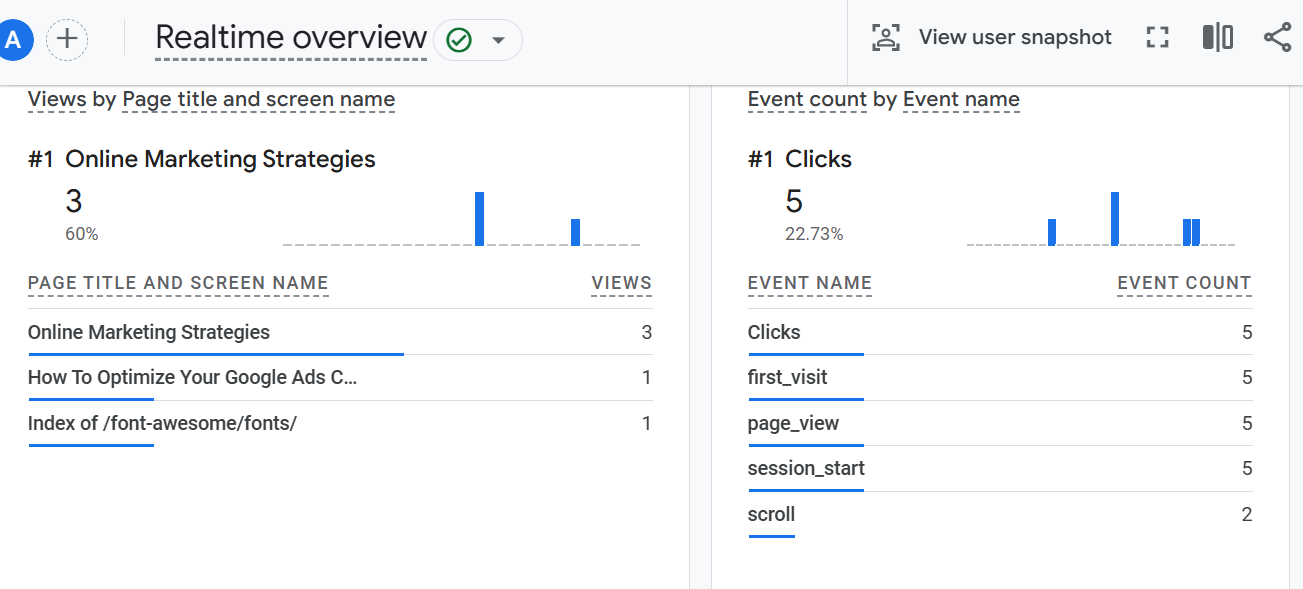
I realized this traffic was AI bots when I did a simple search about the Singapore and China Traffic surge on Google, which revealed that it is a common trend and not an exclusive incident.
In 2025, a global surge in inauthentic "ghost traffic" from Singapore and China (specifically the city of Lanzhou) has been widely reported across Google Analytics 4 (GA4) properties. This traffic is non-human and typically bypasses standard filters.
And how it was able to bypass GA4, which was acclaimed machine learning analytics when it launched in 2023, Google Analytics 4 For Beginners: Reports Tutorial, was baffling to me. As quoted from definiteseo.com, Community Findings and Theories About the Source of this spike in Singapore and China Traffic on GA4 is based on the following findings;
Once Google confirmed that the spike was inauthentic, the discussion among analytics and SEO communities shifted toward solving where these signals were coming from. Although no official source has been named, several patterns have emerged from user observations, log comparisons, and broader trends in automated activity.
Out of all the sources that were mentioned on the website,
- Traffic routed through TenCent Network
- Scrappers triggering analytics via cached pages
- Analytics evasion or spoof testing
- Affiliate or tracking tools interacting with GA4
- Broad, non-targeted source rather than a focused attack
- AI crawlers as a possible source
I find the AI bot traffic a more culpable point in my scenario, even though the majority of the Google community deems the traffic to be harmless; there have been no reports of unusual server requests or vulnerability scans.
The issue remains confined to analytics distortion, which aligns with Google’s eventual confirmation that the spike is non-human activity being misclassified as valid traffic. There are no SEO puns intended or negative impact so far, the damaging effect on GA4 traffic data is terribly visible, and where I got the sense this traffic was AI bots is from this screenshot I was fortunate to take... these same URLs were recorded on our search consoles as sotf404s, crawled but not indexed and most espsically on GA4 and GSC they tend to visit lot of your website URLs that has strings like ?= or incomplete version of the URLS eg instead of /diploma/ they register /diploma confusing that with /diploma.php or html (because the page code name has been hidden with htaccess).
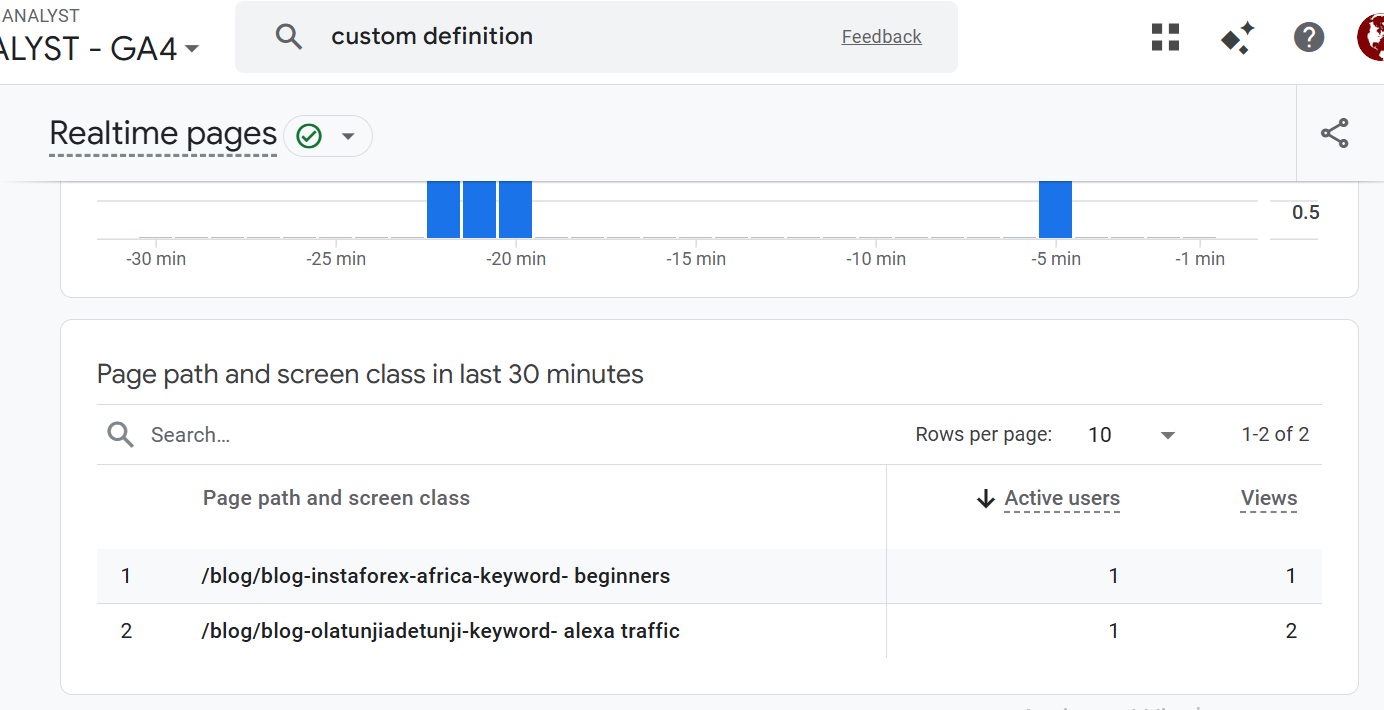
These are even keyword searches from old post, no one currently are doing a search on Alexa traffic, so what gives and the abnormal URLs that are being indexed by Google search console defiles the logic of what was submitted in my sitemap.xml (dynamic to be exact) and my robot.txt restriciton rules not to mention applying htaccess as well to limit was being indexed by search engine or directory bots.
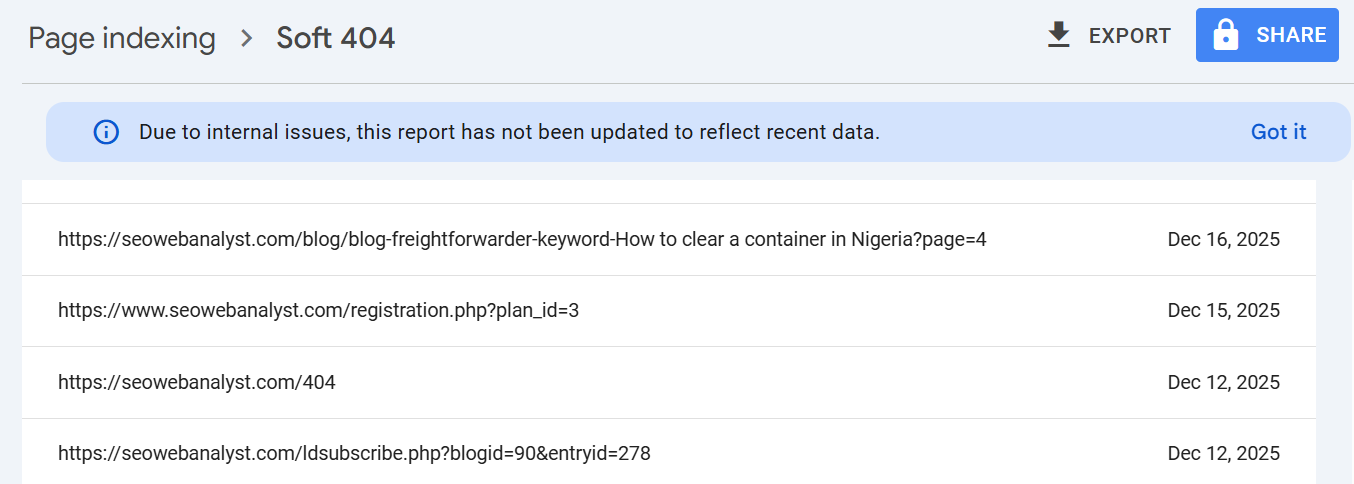
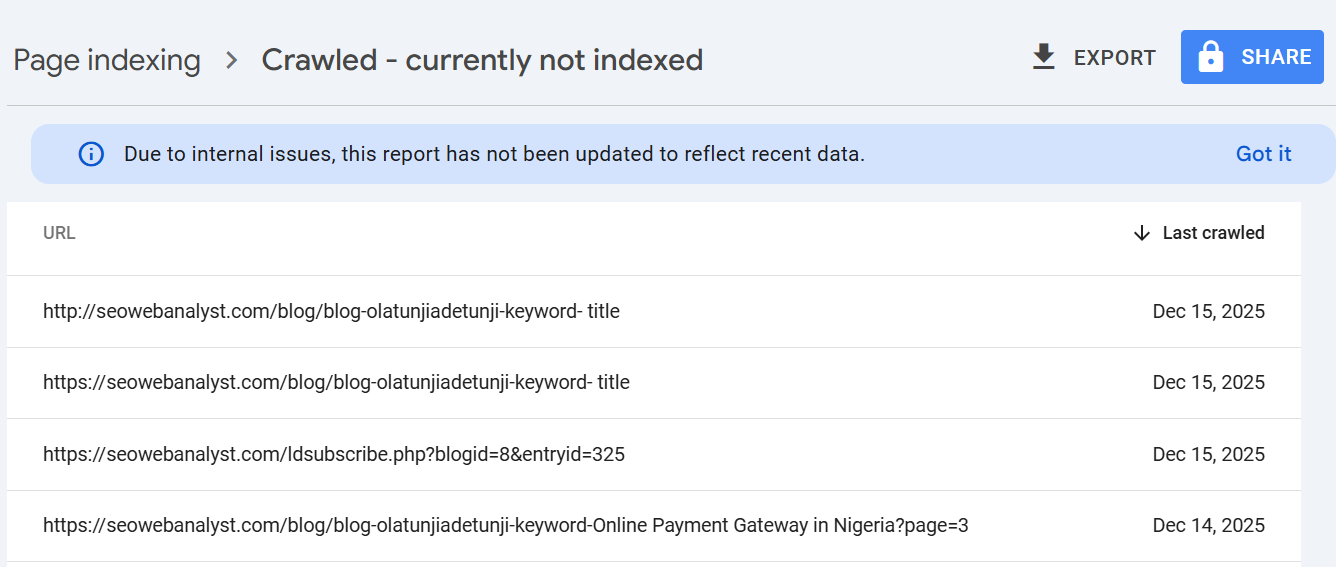
At this point, I began to stop relying on Google Search Console as the only dependable check for issues with link structure on the website. This issue was termed "Hallucinated" or Bot-Generated URL Discovery by online communities.
Recommended Read: How To Fix Google Index Coverage Issues
So I decided to reiterate our website auditor link checker tool that offers flexible features users can use to control their website link structure audit, which will scan website URLs and not include unknown anomalies (that can't be directly located to resolve) depicted in the GSC dashboard, you can read about the SEO Web Analyst website Link Auditor to see how it can help you optimize your website link structure via How To Check Website For Broken Links.
The Solution To Blocking Bot Traffic on Google Analytics 4
One efficient way to go about this is to execute Server-Level Blocking: If you use a Web Application Firewall (WAF) like Cloudflare, you can set a rule to Challenge (CAPTCHA) or Block traffic from specific ASNs or countries if you obviously don't do business there.
Another method is to use the GA4 Property Data Filter to aid you by defining internal traffic rules for known bot IP ranges. This is not recommended because most bot IPs change constantly. But you can use a better solution (highly recommended) that relies on exploration to segment your data, and you can further strengthen that with your Google Tag Manager regex rules. In today's post, I will explain the method of using Cloudflare to block these AI bots' traffic from hitting your GA4 traffic data.
HOW TO USE CLOUDFLARE TO BLOCK AI BOTS FROM SINGAPORE AND CHINA
- Quick Recap: Set Up Cloudflare (If not already active)
- Create an account: Sign up at Cloudflare.com.
- Add your site: Enter yourdomain.com.
- Update Nameservers: Cloudflare will give you two nameservers (e.g., ashley.ns.cloudflare.com). You must log in to your domain registrar (where you bought the domain) and replace your current nameservers with Cloudflare's.
- Wait for Propagation: It usually takes 1–4 hours for the traffic to start flowing through Cloudflare. After this, follow the steps below to block this annoying bot's traffic from your website data on GA4.
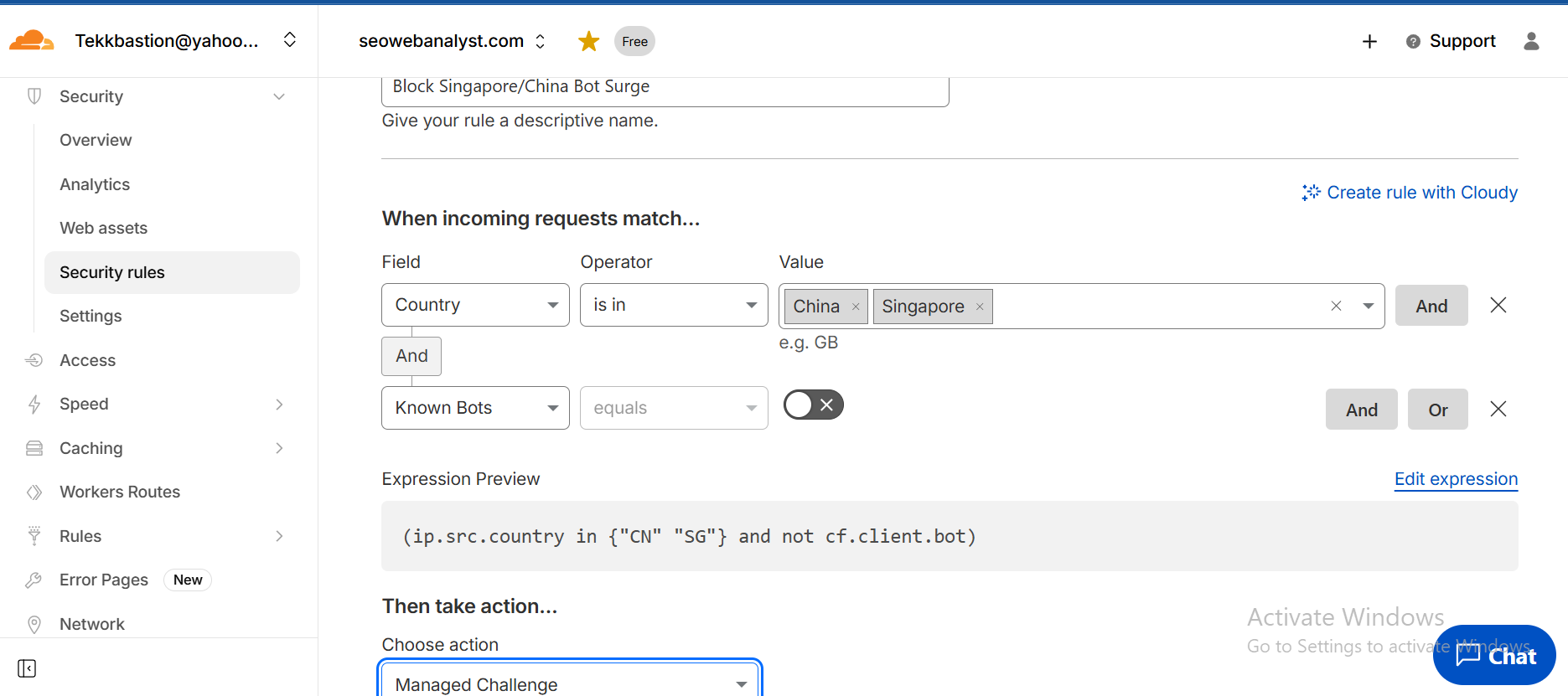
Step 1: Sign in to your Cloudflare account and locate the security rules tab under the SECURITY navigation sidebar. Then fill in the page form with the information shown in the image above.
Go to Security > WAF > Custom Rules.
Click Create rule.
Rule Name: Block Singapore/China Bot Surge.
Field: Select Country.
Operator: Select is in.
Value: Select China and Singapore.
Logic (Optional but Recommended): Click And to ensure you don't block legitimate customers.
Field: Select Known Bot.
Operator: Select equals.
Value: Off (This ensures you only target unverified bots).
Choose Action: Select Block (to stop them entirely) or Managed Challenge (to show a "Verify you are human" checkbox).
Deploy: Click Deploy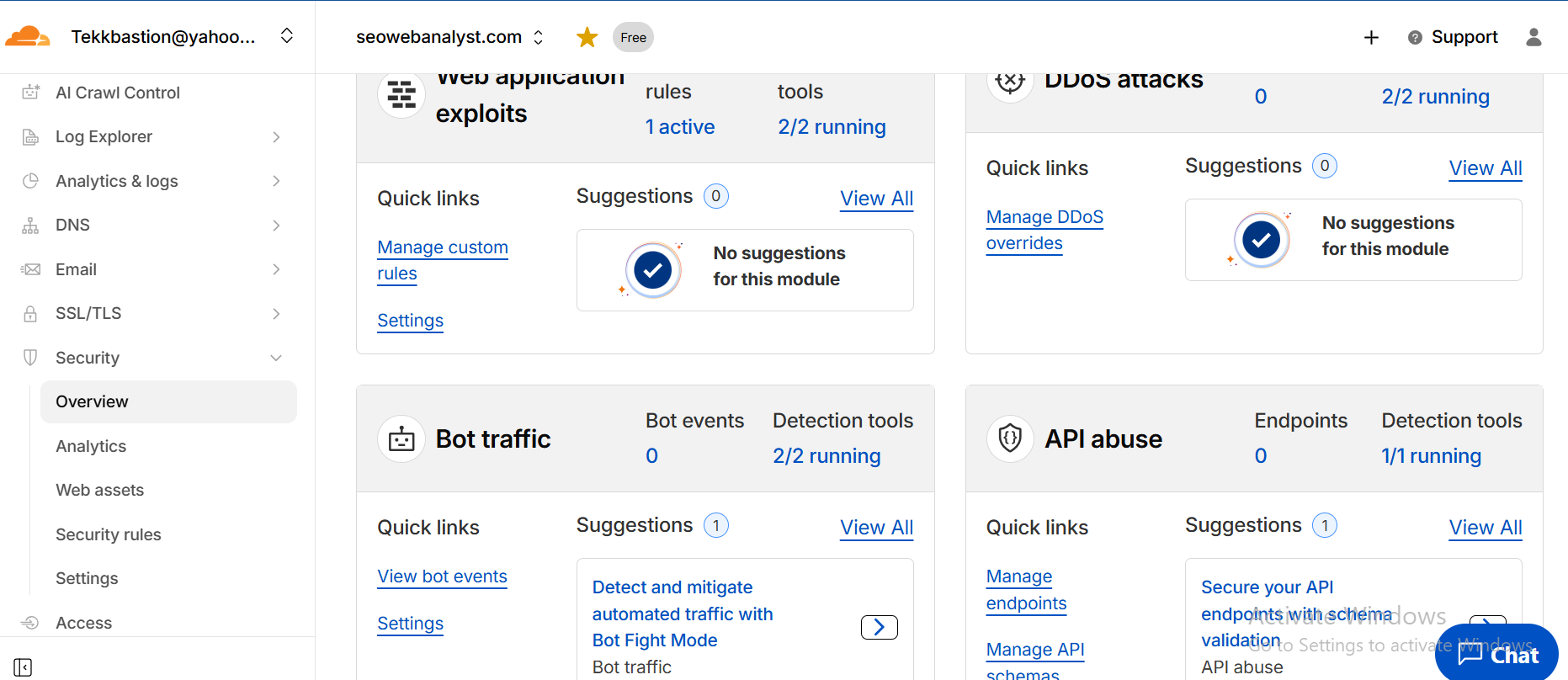
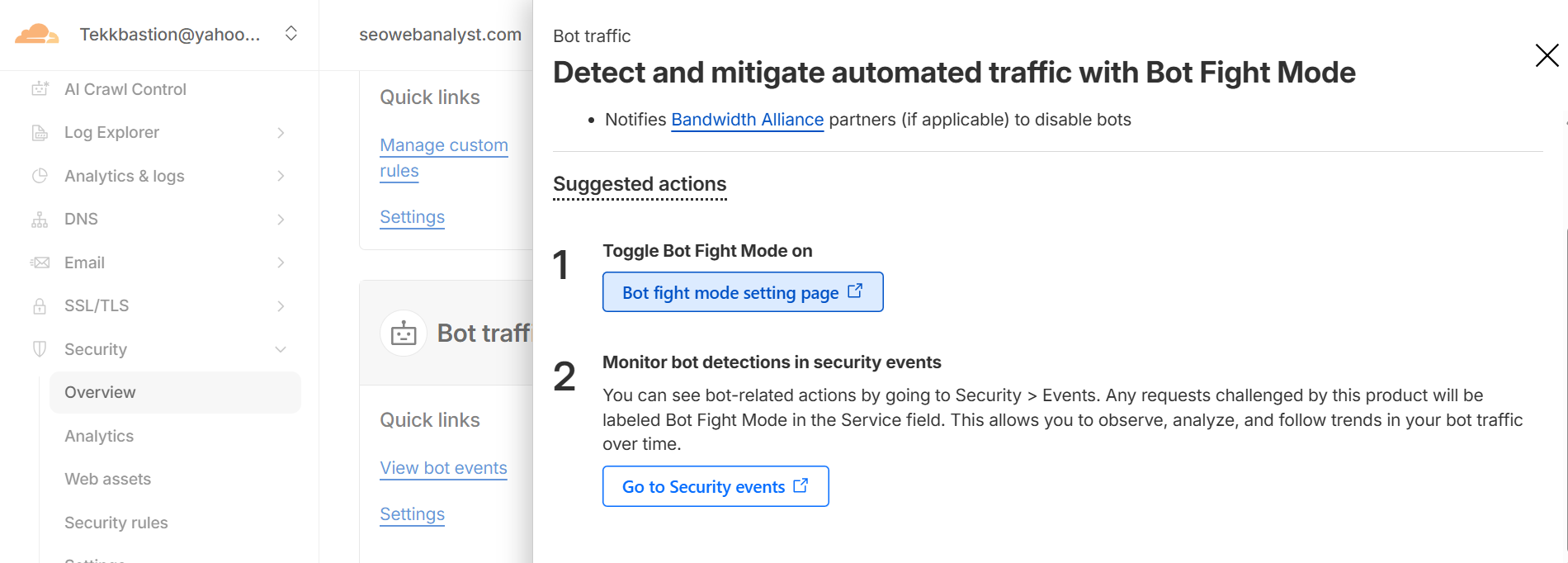
Step 2: Visit the security overview tab, and on the Bot traffic card container, click on the suggestion link and complete any suggestions that are recommended.
Following these steps, benefit your GA4 Data by blocking these regions (or challenging them with a CAPTCHA) at the Cloudflare level, and your website traffic will start populating correct traffic data.
Clean GA4 Data: The bots will never execute your GTM tags, so they will never show up in your reports.
Reduced Server Load: Since you are on cPanel, this prevents bots from consuming your CPU and bandwidth, and if on Cloudflare, this will also reduce 502 error timeouts due to resources being overwhelmed.
Recommended Read: How To Fix Cloudflare Error 522 Connection Timed Out
Security: This stops many common scraping tools and AI crawlers from China that ignore standard robots.txt files.
Conclusion
As discussed, the second method using GA4 to filter out this AI bot traffic from Singapore and China can be a long process, but quite worth it as well, and I will be writing on this step in my follow-up post. I personally combined both methods to get real traffic visit interpretation on my GA4. By the way, can you subscribe to me via my RSS Followers Box to be the first to my latest post on case studies, events, and solutions I applied to resolve issues like this? I am honored to have you do this and likewise comment on your personal experience with such unsolicited traffic registering on your GA4 am sure we can learn from this. If you find this information useful, don't be shy to share the article; it encourages me to write such articles and share my experiences.
Sponsored content is clearly marked and reflects my honest opinions and experiences. I only promote products, services, or brands that are relevant to my audience and align with the values of this blog.
All advertising partnerships are managed in accordance with SEOWebAnalyst’s Advertising Policy. For questions, please contact me via my contact info on any of the post published.